# Sticky HTML Toolbar for Joomla
> A free Joomla module that pins a bar to the top or bottom of every page, with up to 10 linked icons and your own HTML.
- URL: https://www.web357.com/fixed-html-toolbar-joomla-module
- Platform: Joomla
- Edition: Free
- Latest version: 3.3.6
- Compatibility: Joomla 3.x, Joomla 4.x, Joomla 5.x, Joomla 6.x
- Price: Free
- Changelog: https://www.web357.com/fixed-html-toolbar-joomla-module/changelog
- Documentation: https://docs.web357.com/fixed-html-toolbar-joomla-module/intro/
- Demo: https://demo-joomla.web357.com/fixed-html-toolbar
- Joomla Extensions Directory: https://extensions.joomla.org/extensions/extension/social-web/social-display/toolbar
- Free download: https://app.web357.com/my-account/my-downloads?item=fixedhtmltoolbar&redirect_to=https%3A%2F%2Fapp.web357.com%2Fmy-account%2Fmy-downloads%3Fitem%3Dfixedhtmltoolbar
- Included in: [Joomla All Access Bundle](https://www.web357.com/joomla-bundle)
_You want your social profiles, a phone number or a notice in view on every page, even when visitors scroll._
**Fixed HTML Toolbar** is a free Joomla module that pins a bar to the top or bottom of the window.
Fill it with up to 10 linked icons, your own HTML, or both.
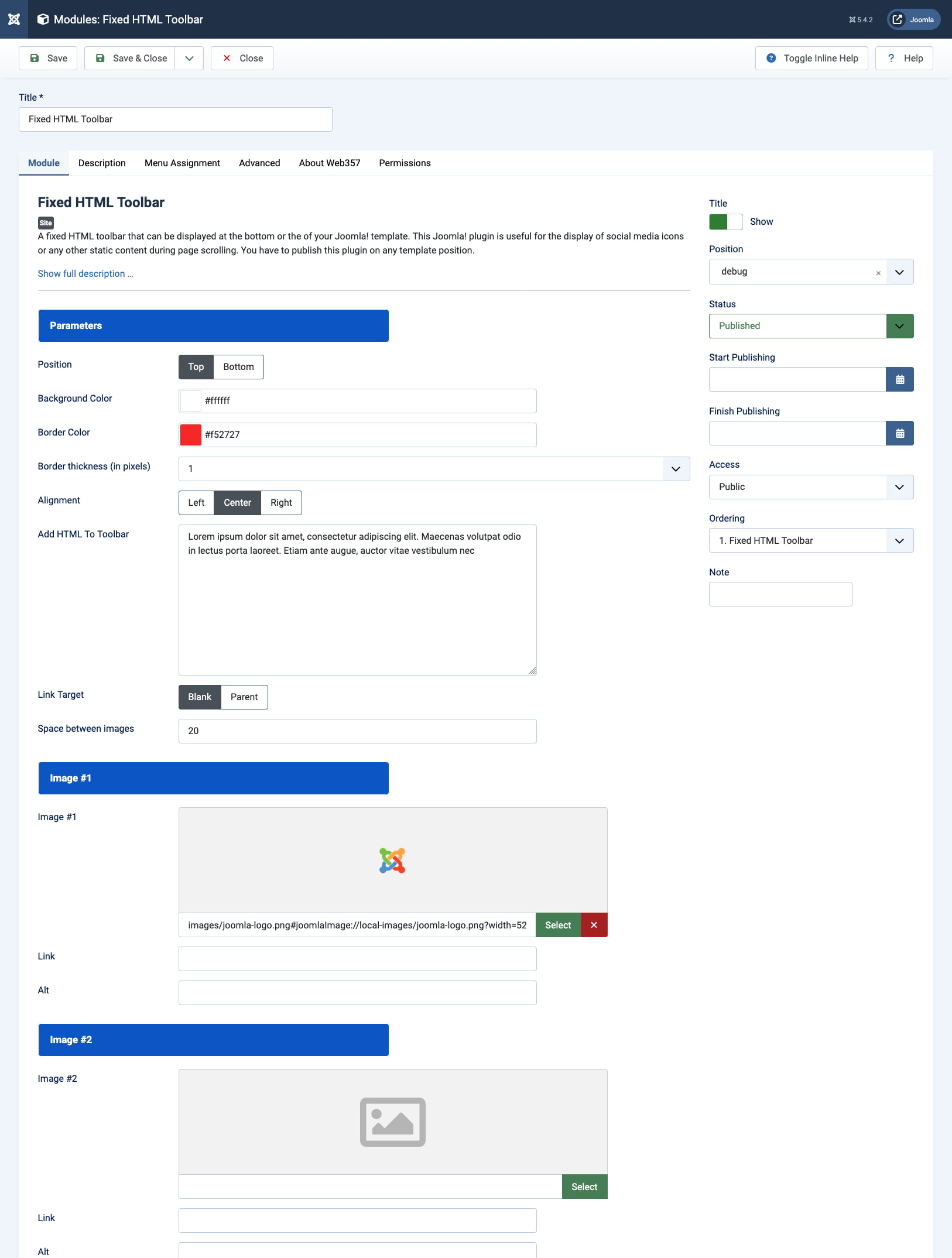
Free for Joomla 4, 5 and 6. Pick the position and colors, then add icons or HTML, as the [configuration guide](https://docs.web357.com/fixed-html-toolbar-joomla-module/configuration/) explains.
## Features
### 📌 Social Icons That Stay on Screen
**Your social profiles and key links, one click away on every page.**
Fill up to 10 [image slots](https://docs.web357.com/fixed-html-toolbar-joomla-module/configuration/#image-slots), each with an image, a link and alt text. The bar stays in place while visitors scroll.
- Up to 10 linked images, such as social media icons
- Links open in a new window or in the same one
- Space between the images in pixels
- Empty slots are left out

### 📢 A Message Bar at the Top
**Announce a sale, a phone number or a notice above your header.**
Set the **Position** to **Top** and write your text or markup in the [Add HTML To Toolbar](https://docs.web357.com/fixed-html-toolbar-joomla-module/configuration/#add-html-to-toolbar) field.
- Top or bottom of the window
- Any HTML, such as text, a button or icon font markup
- Joomla content plugins run on the HTML too
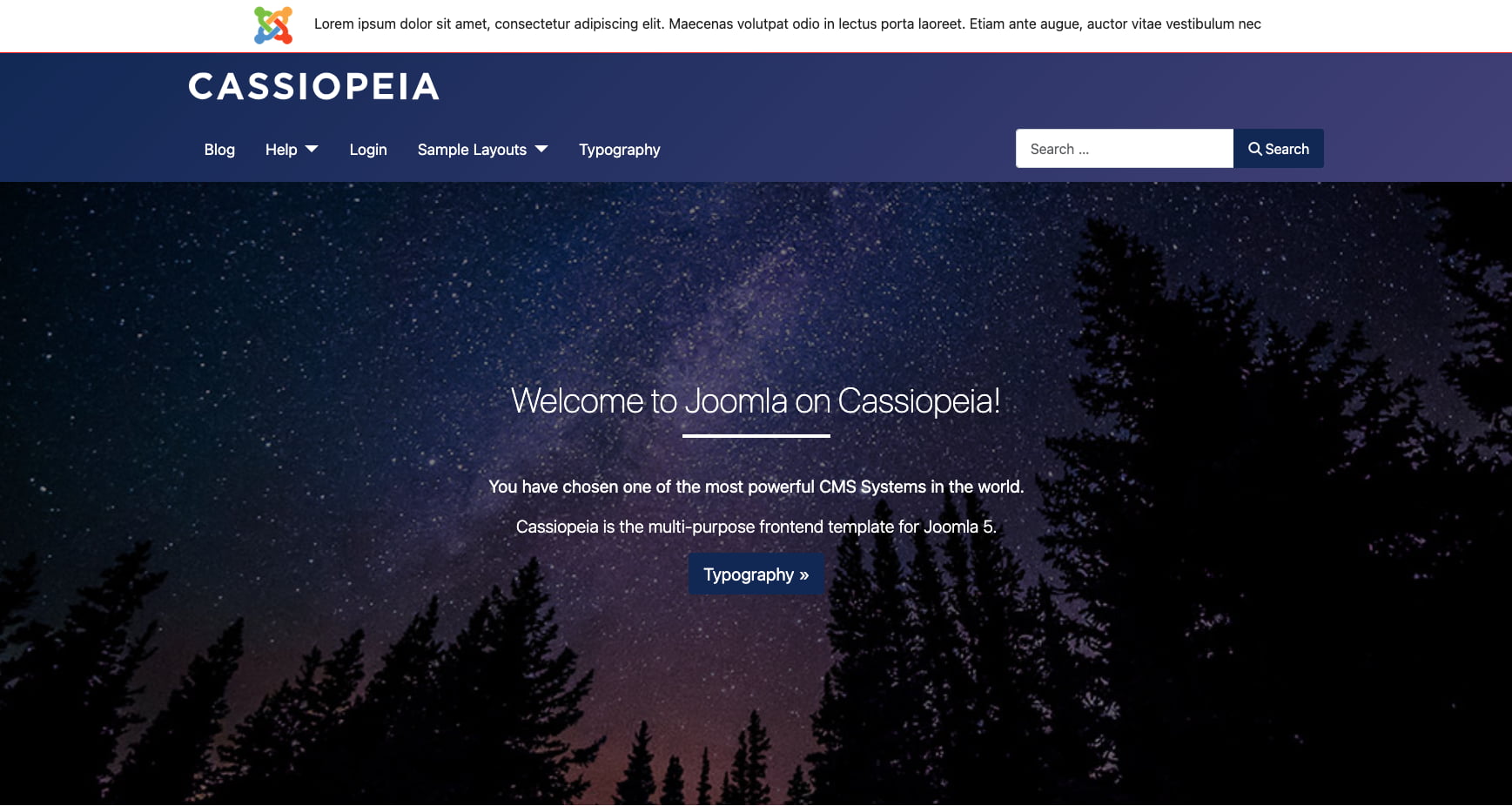
### 🎨 Colors and Alignment
**Match the bar to your template without writing CSS.**
All the [position and styling](https://docs.web357.com/fixed-html-toolbar-joomla-module/configuration/#position-and-styling) settings sit on the **Module** tab.
- Background color and border color
- Border thickness from 1 to 10 pixels
- Left, center or right alignment
## Good to know
- **📌 Always in View**: The bar is fixed to the top or bottom of the window, so it stays visible while visitors scroll.
- **🔗 Icons or HTML**: Up to 10 linked images, your own HTML, or both in the same bar.
- **⚡ Any Module Position**: The bar is placed with CSS, so you can publish it in any position your template renders.
## Frequently asked questions
### Is Fixed HTML Toolbar free?
Yes. It is a free Joomla module with no PRO version. Download it from this page.
### Which Joomla versions are supported?
Joomla **4, 5 and 6**, as listed in the [requirements](https://docs.web357.com/fixed-html-toolbar-joomla-module/installation/#requirements). The same package still installs on Joomla 3.
### Can I add more than 10 icons?
Not with the image slots. Write your own markup in the **Add HTML To Toolbar** field instead, as the [FAQ](https://docs.web357.com/fixed-html-toolbar-joomla-module/faq/#can-i-use-more-than-10-icons) explains.
### Which module position should I use?
Any position your template shows on the pages you want. The bar is fixed to the window with CSS, so the position only decides where the module is loaded. Many sites use **debug**.
## Documentation
- [Introduction](https://docs.web357.com/fixed-html-toolbar-joomla-module/intro/)
- [Installation](https://docs.web357.com/fixed-html-toolbar-joomla-module/installation/)
- [Configuration](https://docs.web357.com/fixed-html-toolbar-joomla-module/configuration/)
- [FAQ](https://docs.web357.com/fixed-html-toolbar-joomla-module/faq/)
---
Part of [Web357](https://www.web357.com). Site map for agents: [llms.txt](https://www.web357.com/llms.txt), [llms-full.txt](https://www.web357.com/llms-full.txt). Documentation: https://docs.web357.com/. Support: https://www.web357.com/support. Append `.md` to any page URL on this site to read it as Markdown.