# Sticky HTML Toolbar for WordPress
> Keep a bar with your own HTML or up to 5 linked icons fixed at the top or bottom of your WordPress site while visitors scroll.
- URL: https://www.web357.com/fixed-html-toolbar-wordpress-plugin
- Platform: WordPress
- Edition: Free
- Latest version: 1.1.2
- Compatibility: WordPress 5.x, WordPress 6.x, WordPress 7.x
- Price: Free
- Changelog: https://www.web357.com/fixed-html-toolbar-wordpress-plugin/changelog
- Documentation: https://docs.web357.com/fixed-html-toolbar-wordpress-plugin/intro/
- wordpress.org: https://wordpress.org/plugins/fixed-html-toolbar/
- Free download: https://wordpress.org/plugins/fixed-html-toolbar/
- Included in: [WordPress All Access Bundle](https://www.web357.com/wordpress-bundle)
_You want a sale notice, a phone number or your social icons to stay on screen while visitors scroll, without editing the theme._
**Fixed HTML Toolbar** adds a bar fixed to the top or bottom of your site. You write the content with the WordPress editor or pick up to 5 linked icons, choose the pages where it shows, and match the colours to your site.
It is free and works on phones and desktops.
Free on [wordpress.org](https://wordpress.org/plugins/fixed-html-toolbar/) and rated 5 out of 5 by its users. The [configuration guide](https://docs.web357.com/fixed-html-toolbar-wordpress-plugin/configuration/) covers every setting, from position to custom CSS.
## Features
### ⚙️ On, Off, Top or Bottom, and Where It Shows
**Decide where the bar appears before you fill it.**
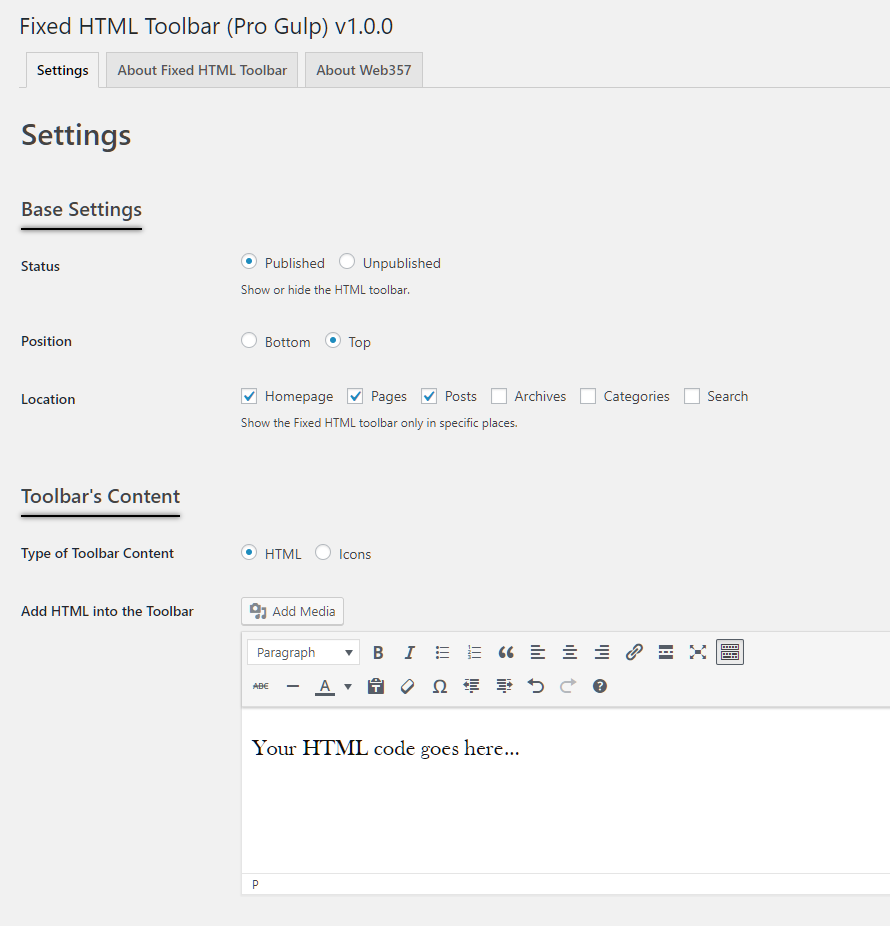
Under [Base Settings](https://docs.web357.com/fixed-html-toolbar-wordpress-plugin/configuration/#base-settings) turn the toolbar on, pick the top or the bottom of the screen, and tick the parts of the site where it should show.
- Homepage, pages, posts, archives, categories and search
- Turn it off without losing your content
- Write the content with the familiar WordPress editor
### 🔗 Up to 5 Linked Icons
**Point visitors to your social profiles.**
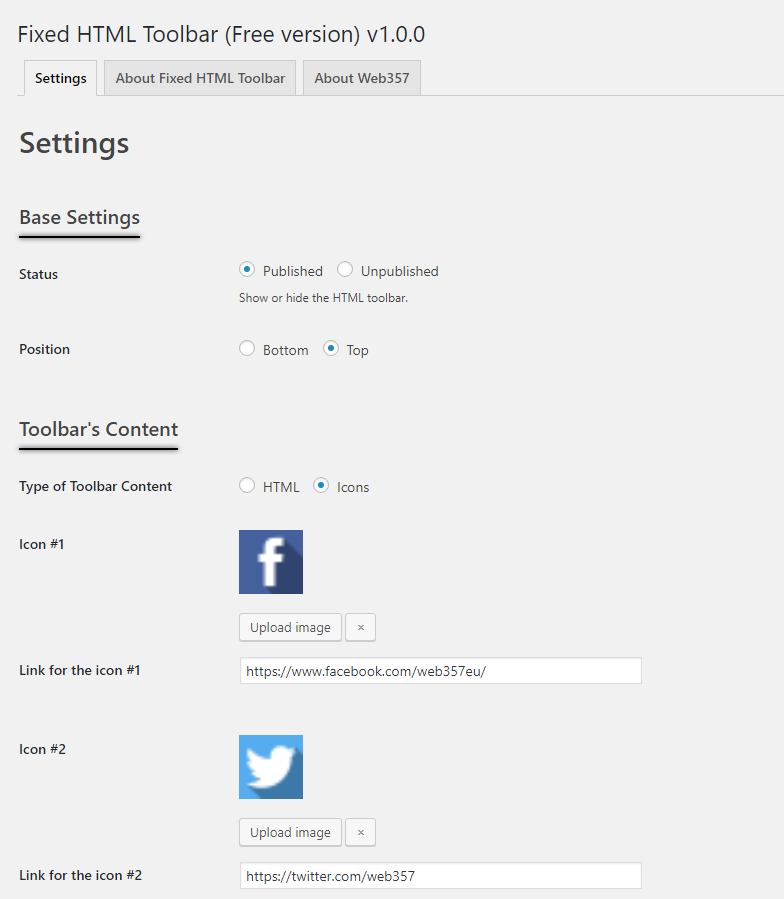
Switch the content to [Icons](https://docs.web357.com/fixed-html-toolbar-wordpress-plugin/configuration/#icons-mode) and add up to five images, each with its own link. Choose whether the links open in the same window or a new one.
- Use any image from the Media Library
- One link per icon
- Set the space between icons
### ⬇️ A Bar at the Bottom of the Screen
**Stay out of the way of the header and menu.**
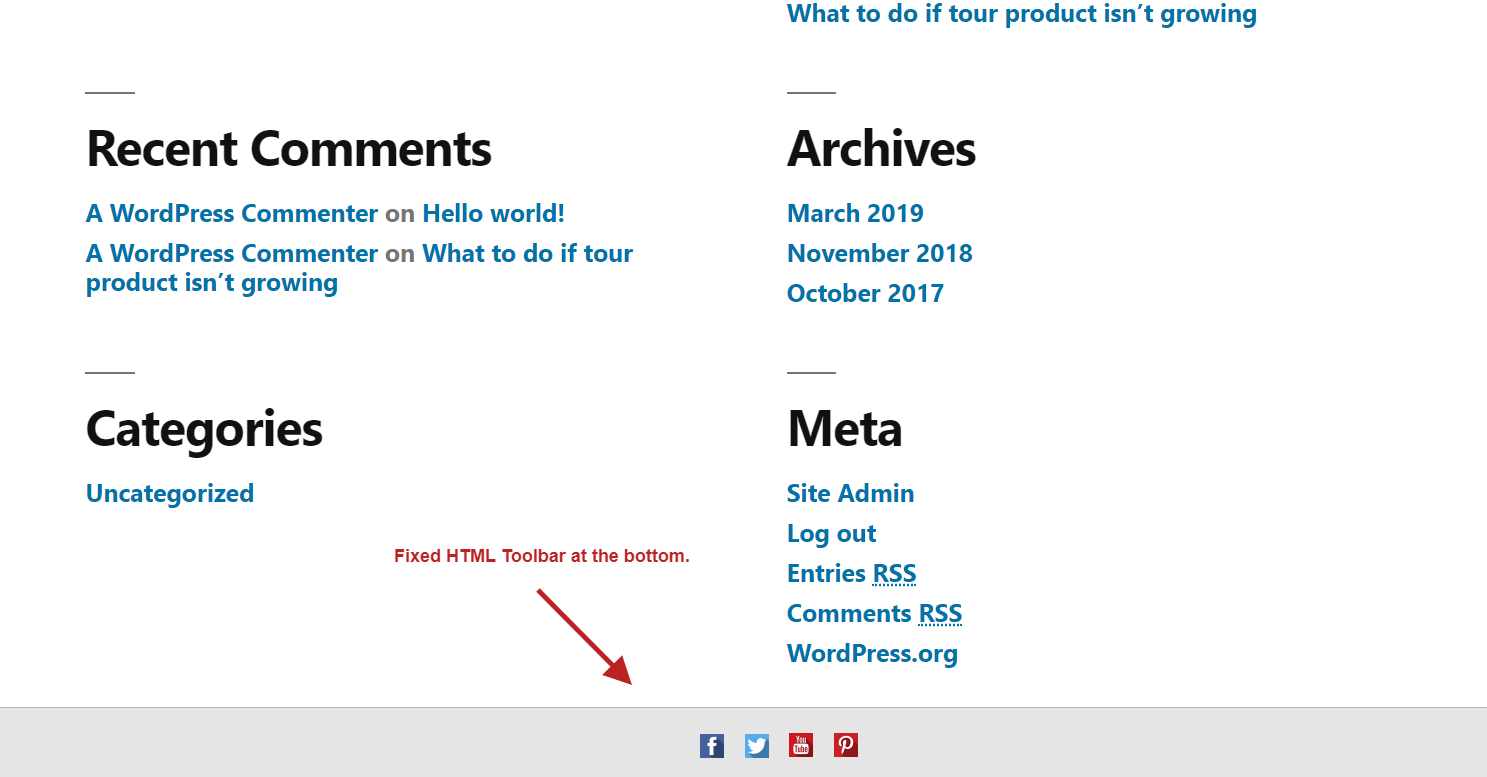
At the bottom the bar sits below the content and stays there while the page scrolls. If it covers your footer, the [FAQ](https://docs.web357.com/fixed-html-toolbar-wordpress-plugin/faq/#the-toolbar-is-overlapping-my-sites-footer-how-do-i-fix-it) shows the CSS that adds space for it.
- Good for social icons and contact links
- Hidden when a visitor prints the page
- Works on phones and desktops
### ⬆️ A Bar at the Top of the Screen
**Keep the same icons, or a notice, at the top.**
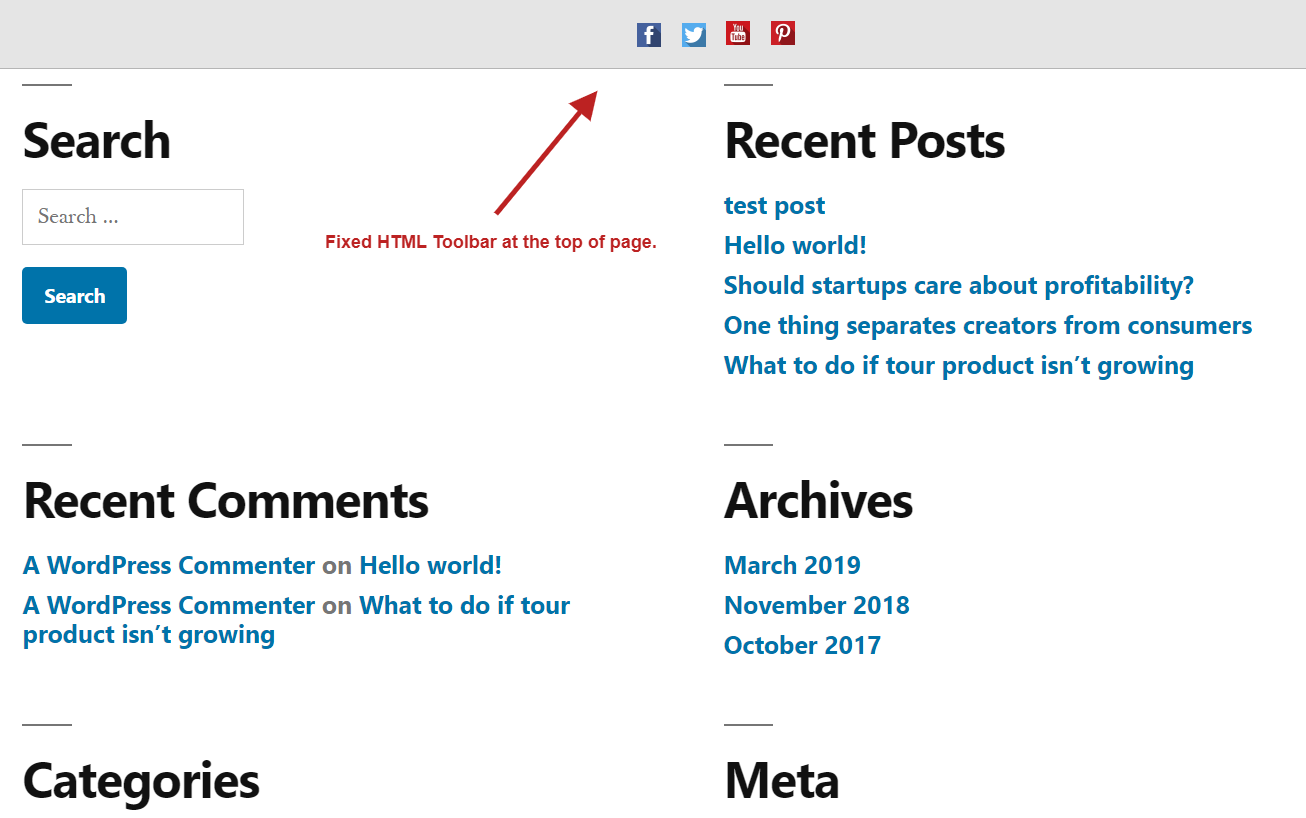
At the top the bar stays above the page while visitors scroll. Show your icons there, or switch to [HTML mode](https://docs.web357.com/fixed-html-toolbar-wordpress-plugin/configuration/#html-mode) for a short notice, a sale or a phone number.
- Icons or any HTML from the WordPress editor
- Links, bold text and images
- The same bar on every page you chose
### 🎨 Colours, Spacing and Custom CSS
**Match the bar to your site.**
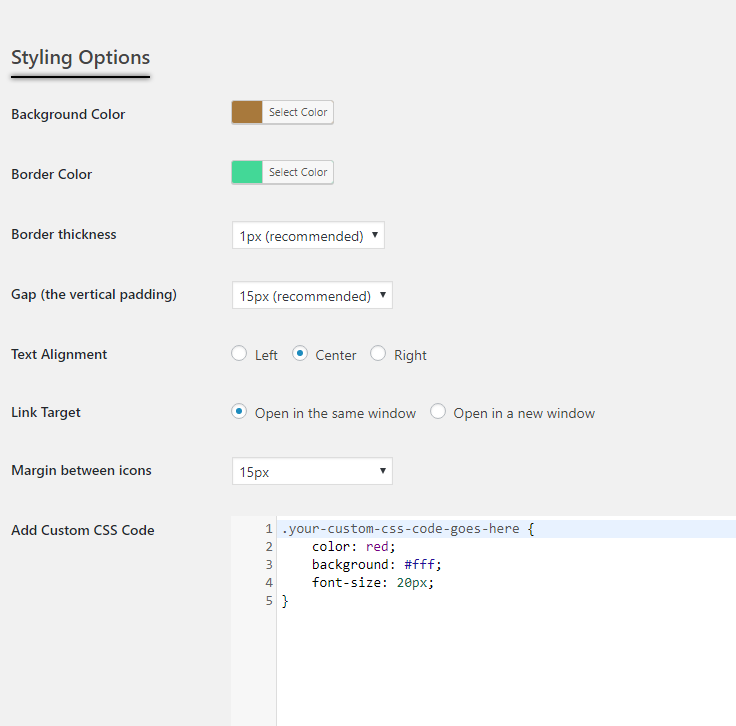
The [styling options](https://docs.web357.com/fixed-html-toolbar-wordpress-plugin/configuration/#styling-options) cover colours, borders, padding, alignment and the space between icons. For anything else, add your own CSS.
- Background and border colours
- Border thickness and vertical padding
- A custom CSS field for the toolbar
## Good to know
- **📌 Always visible**: The bar is fixed to the top or bottom of the screen, so your notice or icons stay in view while visitors scroll, as the [configuration guide](https://docs.web357.com/fixed-html-toolbar-wordpress-plugin/configuration/#position) explains.
- **🎯 Only where you want it**: Show the bar on the homepage, pages, posts, archives, categories or search results, in any combination, with the [Location](https://docs.web357.com/fixed-html-toolbar-wordpress-plugin/configuration/#location) setting.
- **🪶 Loads only where it shows**: The plugin adds its CSS and JavaScript only on pages where the toolbar appears, as the [FAQ](https://docs.web357.com/fixed-html-toolbar-wordpress-plugin/faq/#does-the-toolbar-slow-down-my-site) notes.
## Frequently asked questions
### Is Fixed HTML Toolbar free?
Yes. It is a free plugin on [wordpress.org](https://wordpress.org/plugins/fixed-html-toolbar/), with no PRO version.
### How many icons can I add?
Up to **5** linked icons. If you need more, switch to HTML mode and add as many links or images as you like, as described in the [configuration guide](https://docs.web357.com/fixed-html-toolbar-wordpress-plugin/configuration/#toolbars-content).
### Can I hide the toolbar on mobile devices?
Yes, with a few lines of custom CSS. The [FAQ](https://docs.web357.com/fixed-html-toolbar-wordpress-plugin/faq/#how-do-i-hide-the-toolbar-on-mobile-devices) has the code.
### Why can't I see the toolbar on my site?
Check that **Status** is **Published**, that the page you are looking at is ticked under **Location**, and that the content is not empty. The [FAQ](https://docs.web357.com/fixed-html-toolbar-wordpress-plugin/faq/#why-cant-i-see-the-toolbar-on-my-site) lists the steps.
### Which WordPress versions are supported?
WordPress **5.3** or newer, tested up to **7.1**, with **PHP 7.3** or newer. The [installation guide](https://docs.web357.com/fixed-html-toolbar-wordpress-plugin/installation/) has the steps.
## Documentation
- [Introduction](https://docs.web357.com/fixed-html-toolbar-wordpress-plugin/intro/)
- [Installation](https://docs.web357.com/fixed-html-toolbar-wordpress-plugin/installation/)
- [Configuration](https://docs.web357.com/fixed-html-toolbar-wordpress-plugin/configuration/)
- [FAQ](https://docs.web357.com/fixed-html-toolbar-wordpress-plugin/faq/)
---
Part of [Web357](https://www.web357.com). Site map for agents: [llms.txt](https://www.web357.com/llms.txt), [llms-full.txt](https://www.web357.com/llms-full.txt). Documentation: https://docs.web357.com/. Support: https://www.web357.com/support. Append `.md` to any page URL on this site to read it as Markdown.