

WCAG Compliance, Accessibility Support, Dynamic Consent Mode, Cross-Subdomain Sharing & New Menu Item Type
If you’re running a Joomla website in the EU, accessibility compliance is no longer optional.
With the European Accessibility Act (EAA) coming into force, websites must be usable by everyone – including users who rely on keyboards, screen readers, and assistive technologies.
Version 4.4.5 of the Cookies Policy Notification Bar focuses exactly on that: making cookie consent fully accessible, while also introducing new tools that give you more control over how consent behaves across your site.
What’s New in This Release
Your Cookie Bar Is Now Fully Accessible (WCAG 2.1 AA)
The notification bar has been completely reworked to comply with WCAG 2.1 AA requirements.
Here’s what this means in real-world use:
- Full keyboard navigation
Visitors can navigate the cookie bar using Tab, Enter, and Space to accept, decline, or open settings – no mouse required. - Proper screen reader support
ARIA roles and labels ensure assistive technologies announce all elements correctly. - Clear focus indicators
Keyboard users can always see which button or option is currently active. - Accessible contrast levels
Text and buttons meet minimum contrast requirements for readability and accessibility audits.
To validate accessibility, the implementation was tested using WAVE and IBM Equal Access Checker.
Consent Mode Updates Without Page Reload
Previously, when the “Reload the page after accept” option was disabled, clicking Accept or Decline did not update Google Consent Mode until the next page load.
With version 4.4.5, consent updates immediately.
Analytics and advertising tags receive the correct consent signal as soon as the user makes a choice, no page reload required.
This ensures more accurate data handling and better alignment with privacy requirements.
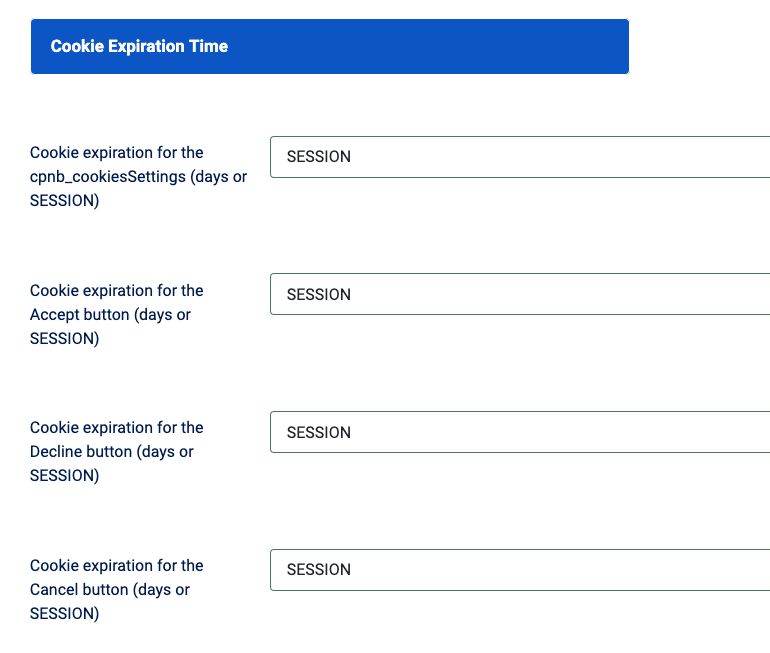
New SESSION Cookie Expiration Option
Until now, cookie expiration could only be defined in days (for example, 30 or 365).
Version 4.4.5 introduces a new SESSIONexpiration option.
With SESSION expiration enabled:
- Consent is stored only while the browser session is active
- Once the browser is closed, users are asked for consent again on their next visit
This option is especially useful when:
- Your privacy policy requires fresh consent per session
- You need stricter GDPR compliance
- Your website is accessed from shared or public computers
📖 Learn more: Cookie Expiration Settings – New “Session” Option
Easier Menu Setup with New Joomla Menu Item Type
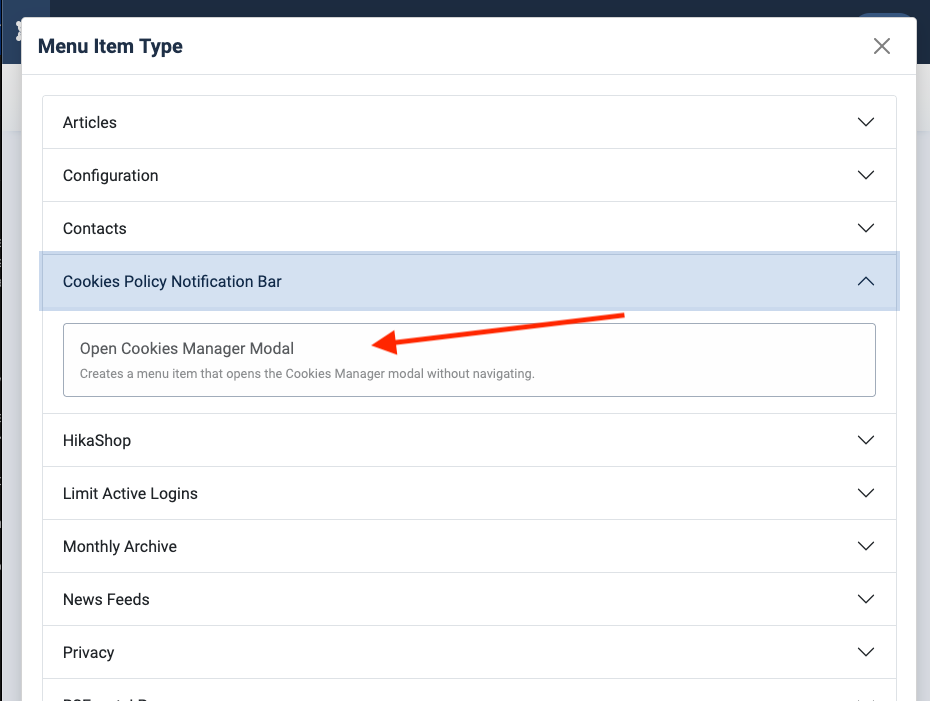
Adding a “Cookie Settings” link to your Joomla menu no longer requires custom code or workarounds.
You can now create a new menu item and select Open Cookies Manager Modal from the Cookies Policy Notification Bar menu type.
The menu link opens the cookie preferences modal directly – without page reloads or redirects.
📖 Learn more: Creating a Menu Link for the Cookies Manager Modal
Cross-Subdomain Cookie Sharing
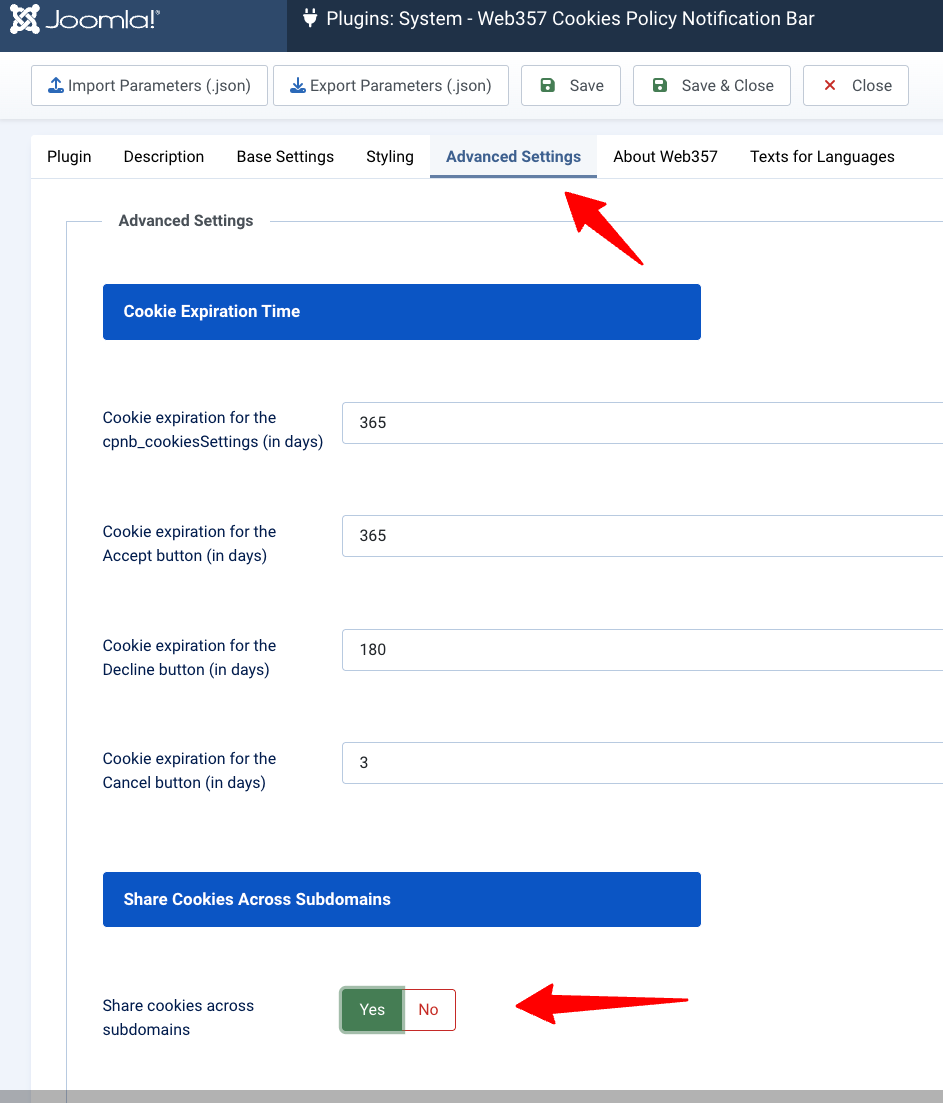
If your website uses multiple subdomains (for example,shop.example.com alongside www.example.com), visitors previously had to manage cookie consent separately for each one.
With the new cross-subdomain sharing option, consent is automatically synchronized across all subdomains.
Simply enable the option in Advanced Settings, and user preferences will apply site-wide.
📖 Learn more: Share Cookies Across Subdomains
Bug Fixes
- Fixed an issue where the cookie settings modal appeared empty on 404 pages
- Fixed {cookiesinfo} shortcode behavior to prevent unexpected page reloads
How to Update
If you have an active subscription, download version 4.4.5 from your Web357 account and install it via Joomla’s Extension Manager.
All existing settings will be preserved.
You can also view the full changelog for a complete list of changes.
Have questions about accessibility compliance or the new features?
Contact our support team, we’re happy to help.


Want to leave a comment?