

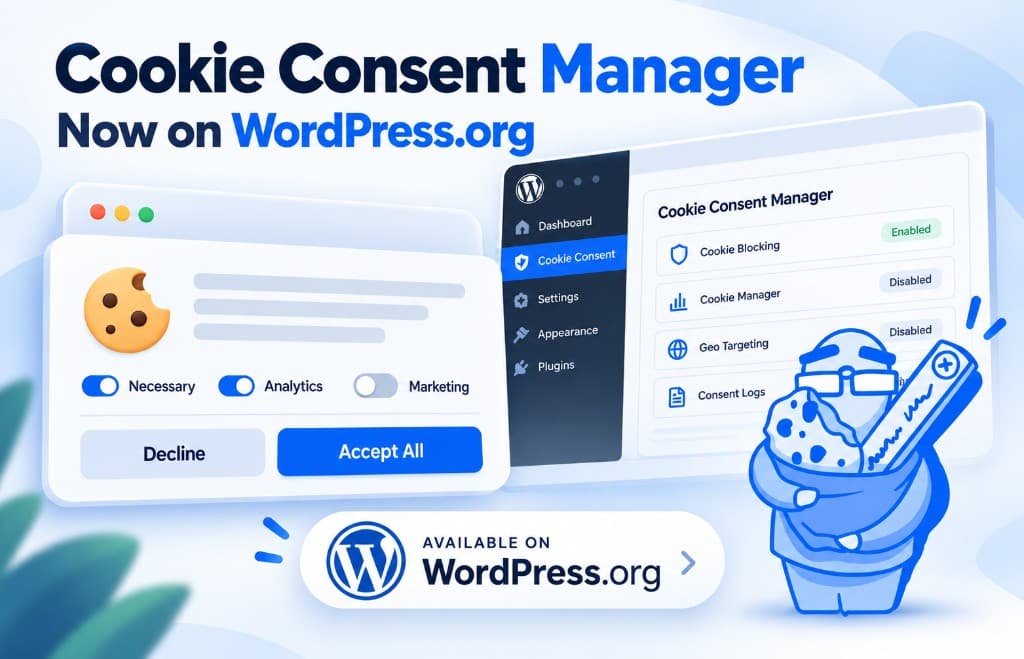
Cookie Consent Manager is now in the WordPress Plugin Directory. You can install the free version today and set up a cookie banner that looks like part of your site, not a leftover from another template.
A banner on its own is not cookie consent. If Google Analytics, ads or YouTube still load before someone clicks Accept, the notice is only decoration. This plugin is built to cover the rest: cookie categories, script blocking, Geo Targeting and Consent Logs.
👉 Download the free version from WordPress.org

A cookie banner is only the beginning
Most WordPress site owners already know they need a cookie banner. What is easy to miss is that showing a message is not enough. Non-essential services can still load, and set cookies, before the visitor has agreed to them.
That often includes Google Analytics, Google Tag Manager, Google Ads, Meta Pixel, Hotjar, YouTube embeds and other marketing or tracking scripts.
A complete cookie consent setup should do three things: tell visitors what you use, let them choose by category, and stop non-essential scripts until they say yes. That is what Cookie Consent Manager for WordPress is for.
Make the cookie banner match your WordPress site
The banner should look like it belongs on your website.
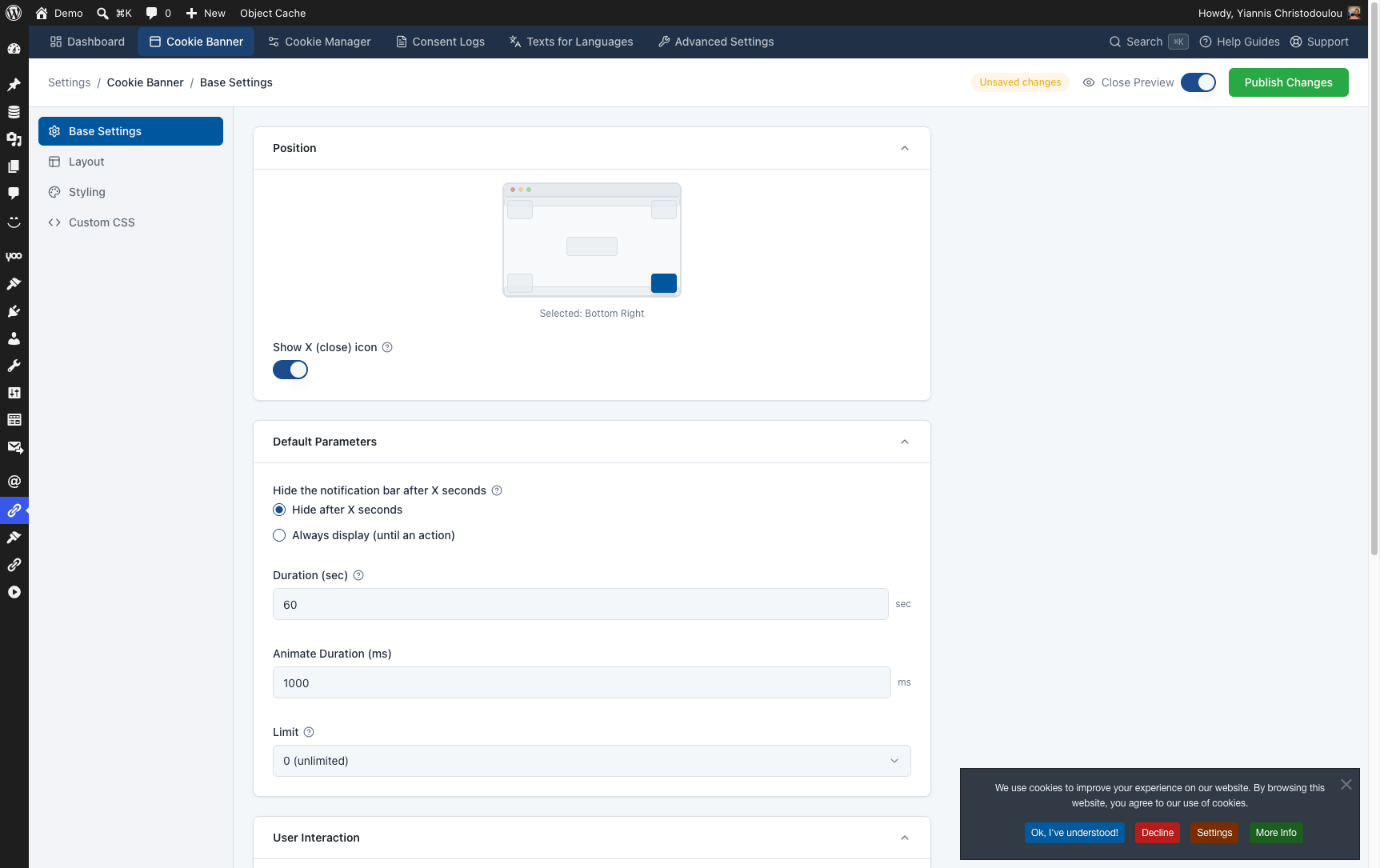
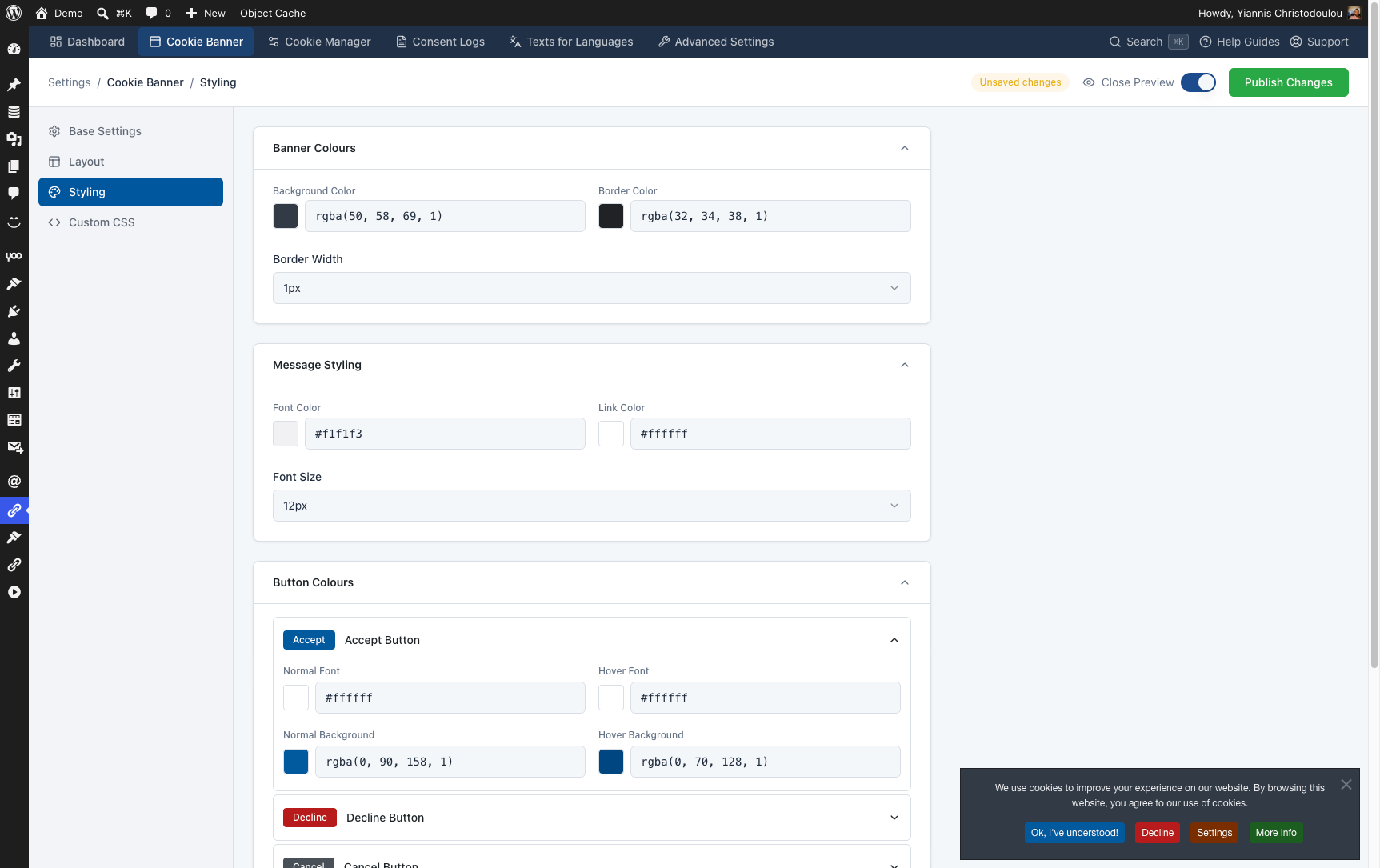
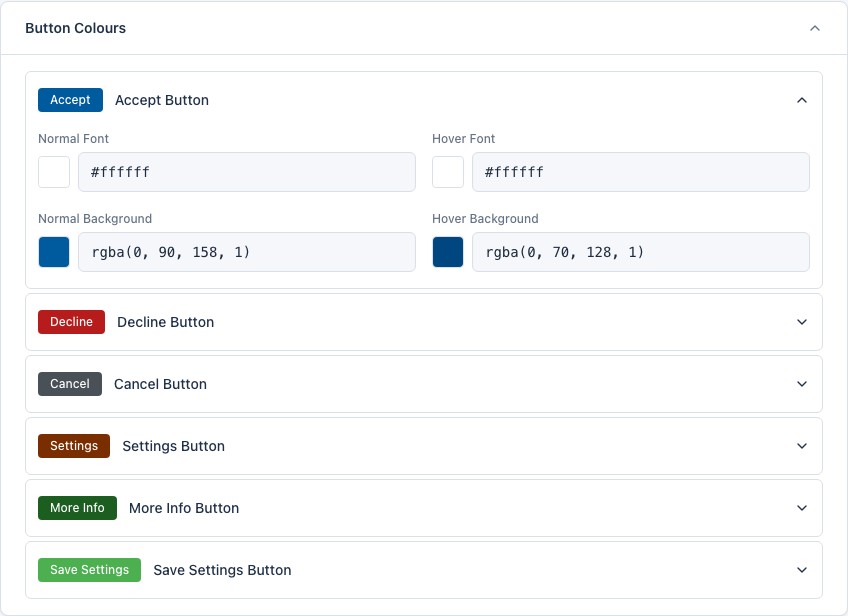
Cookie Consent Manager has seven display positions, plus controls for background and border colors, typography, message and link colors, button colors (including hover states), animations, banner size and responsive layouts.
Accept, Decline, Settings, More Info, Cancel and Save Settings can each be styled on their own. All of this lives in the WordPress admin. No coding required. Developers who want more control can add Custom CSS.
👉 Learn how to customize the cookie banner
Let visitors manage cookie categories
One Accept/Decline choice is a start. The built-in Cookie Manager goes further and lets people decide by category, for example:
- Required
- Analytics
- Marketing
- Social Media
Required cookies can stay locked. Optional categories can be accepted or declined separately, and visitors can come back later to change or withdraw consent.
Depending on the version you use, you can add extra categories, set their default state and decide which scripts belong to each one.
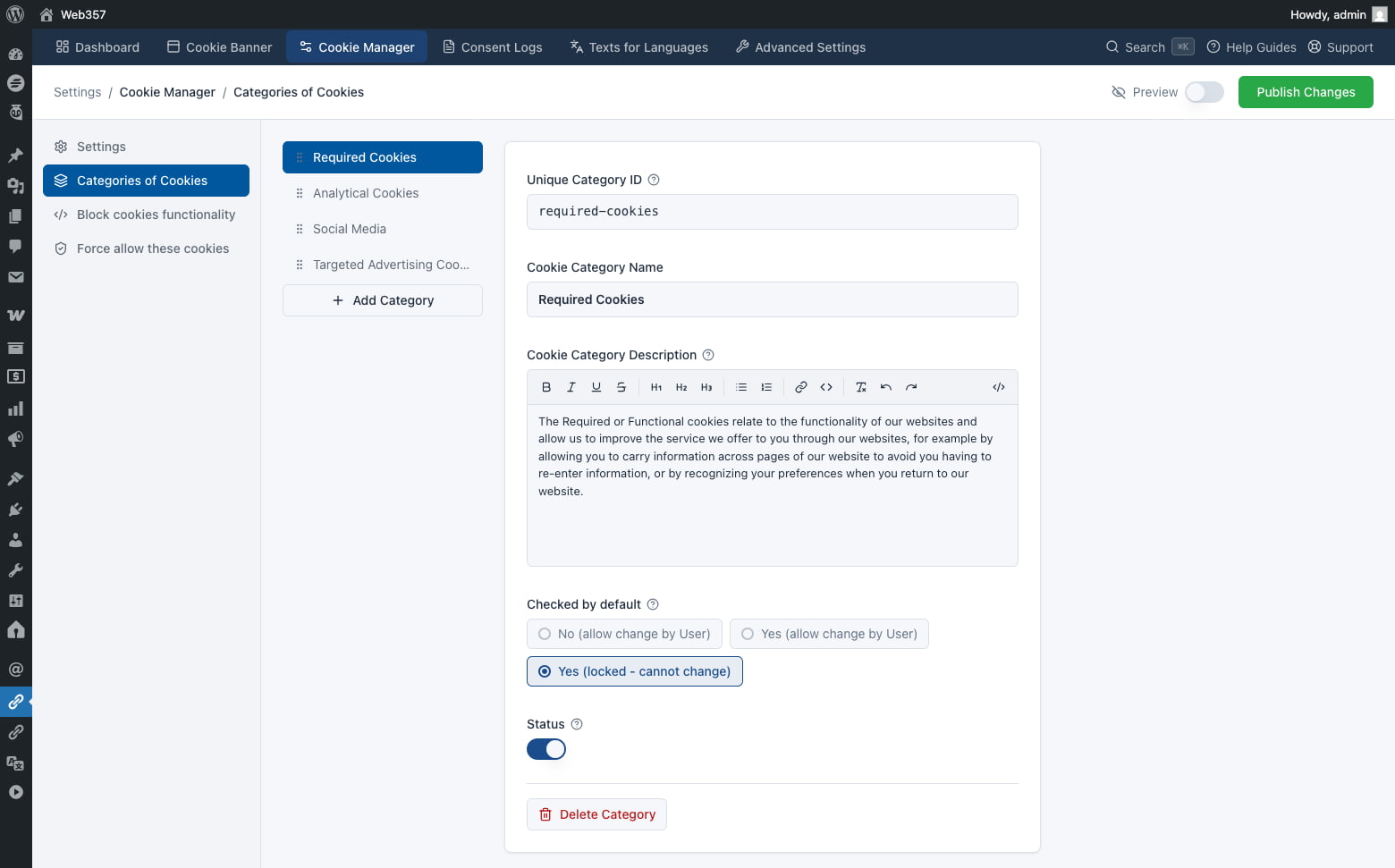
👉 Learn more about the Cookie Manager and cookie categories
Block third-party scripts until consent is given
Cookie Consent Manager Pro can keep those non-essential scripts from loading until the visitor grants consent for the matching category.
Assign each script to a category and place it in the Head, Body Top or Body Bottom. You can also block page elements, such as embedded videos or widgets, with CSS selectors.
That is the difference between a banner that informs people and a setup that actually controls what runs.
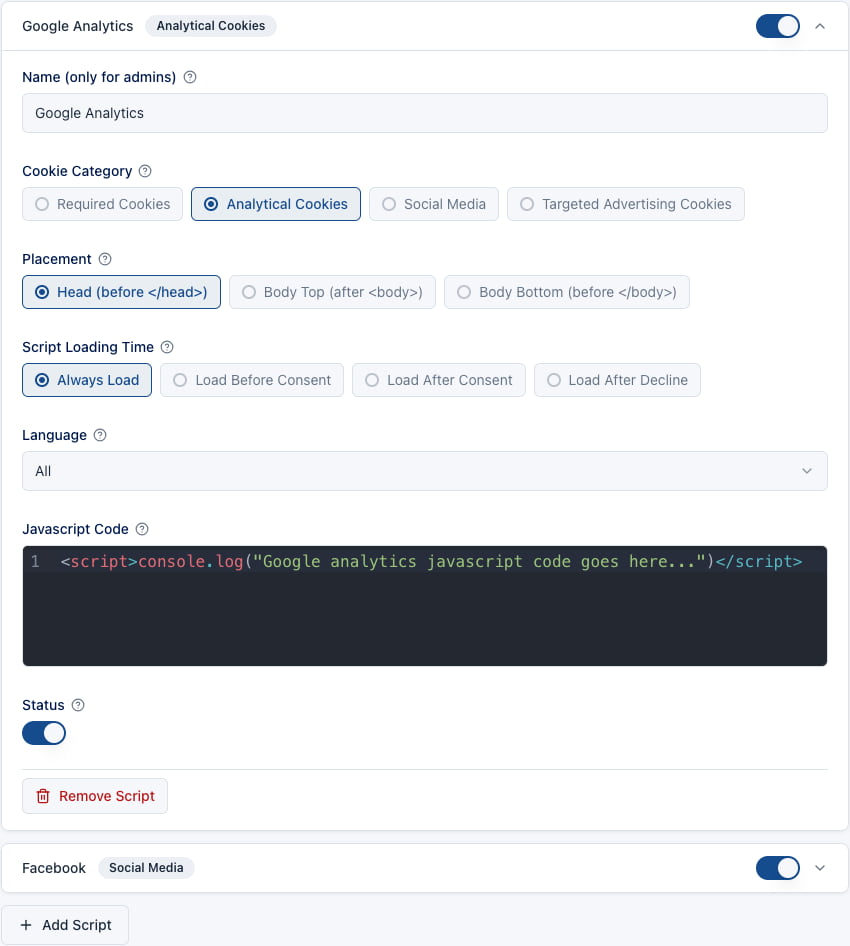
👉 See how script and element blocking works
Ready for Google Consent Mode v2
The plugin can support Google Consent Mode v2 by holding back analytics and advertising scripts until the visitor allows the relevant category.
Your Google tags still need to be configured correctly on each site. Cookie Consent Manager gives you the consent choices and the script-loading controls that setup depends on.
Show the banner only where it is needed
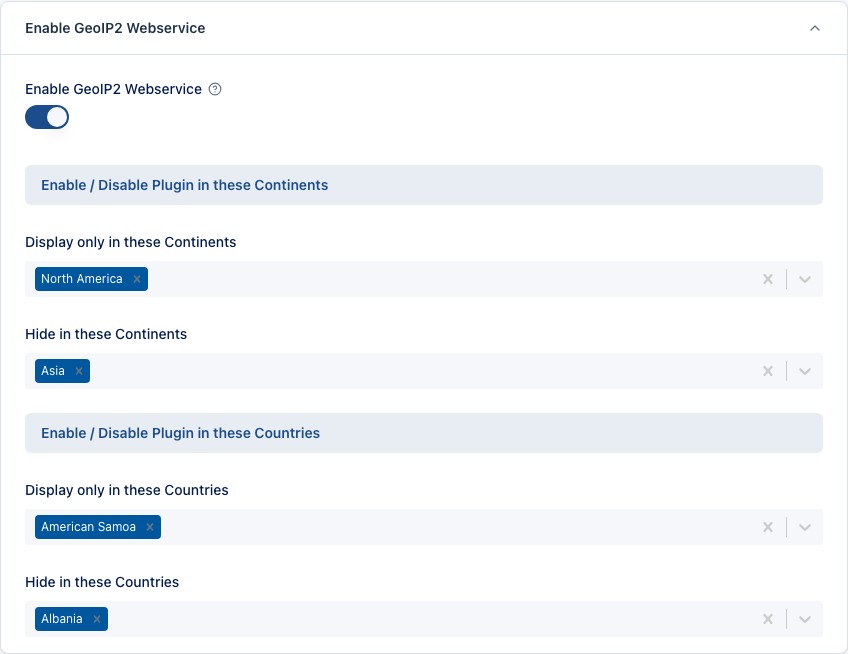
Not every visitor needs the same cookie banner. With Pro Geo Targeting, powered by MaxMind GeoIP2, you can show or hide it by location:
- Include or exclude entire continents
- Include or exclude individual countries
- Display the banner only in selected regions
Useful if you only need a cookie consent flow in specific countries, rather than for every visitor worldwide.
Keep a record of consent decisions
Pro can store consent decisions in the WordPress database. Logs can include Accept and Decline actions, date and time, accepted categories, country and country code, and an optional IP address.
You can search, filter and export the records as CSV when you need them for an audit.
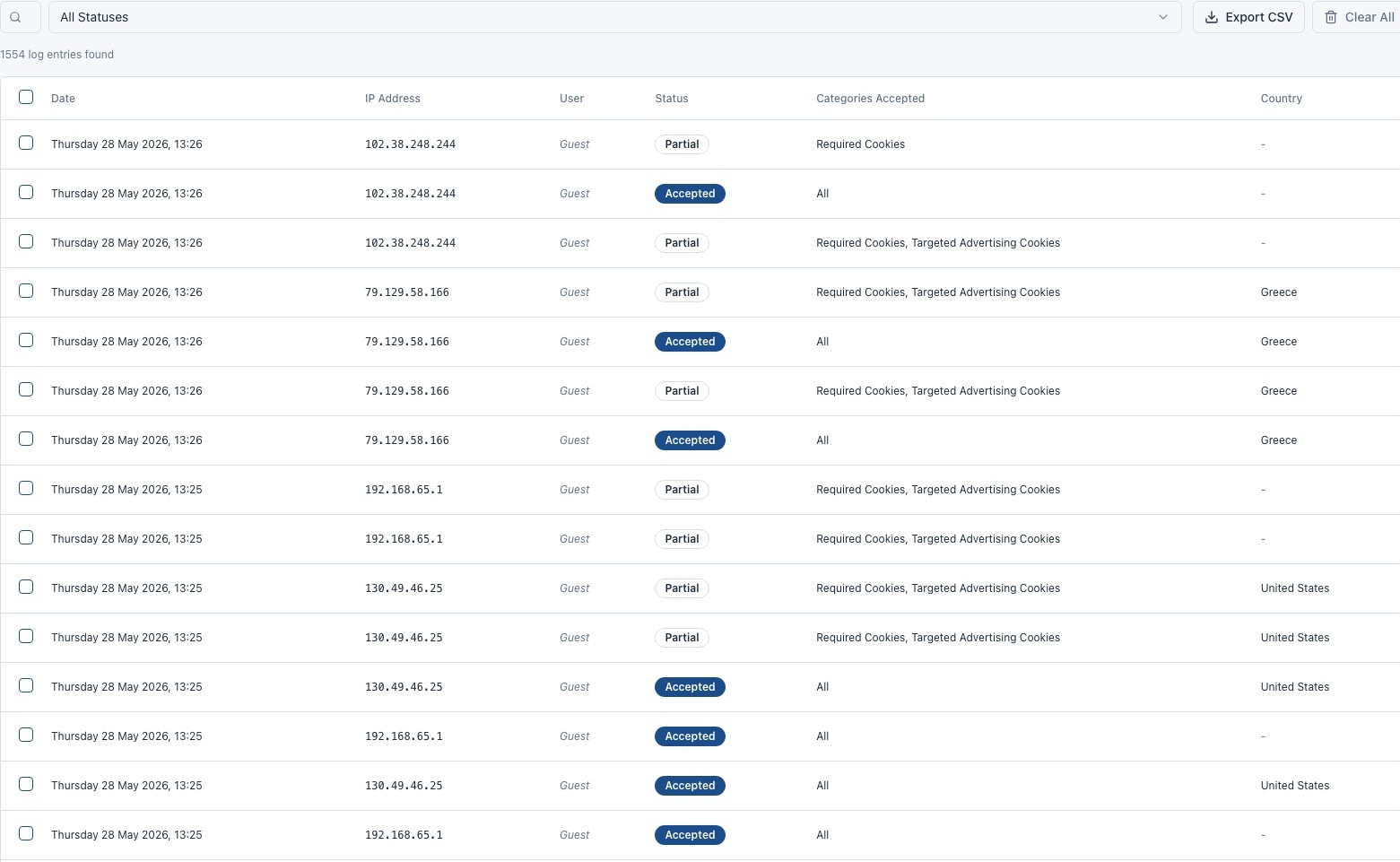
👉 Learn more about Consent Logs
A multilingual cookie consent experience
If the rest of the site is translated, the cookie message should be too. You can customize user-facing text for each installed language:
- Notification messages
- Button labels
- Cookie Manager texts
- Cookie descriptions
- Confirmation messages
- Policy links
It works with WPML, Polylang, Multisite and similar multilingual WordPress setups.
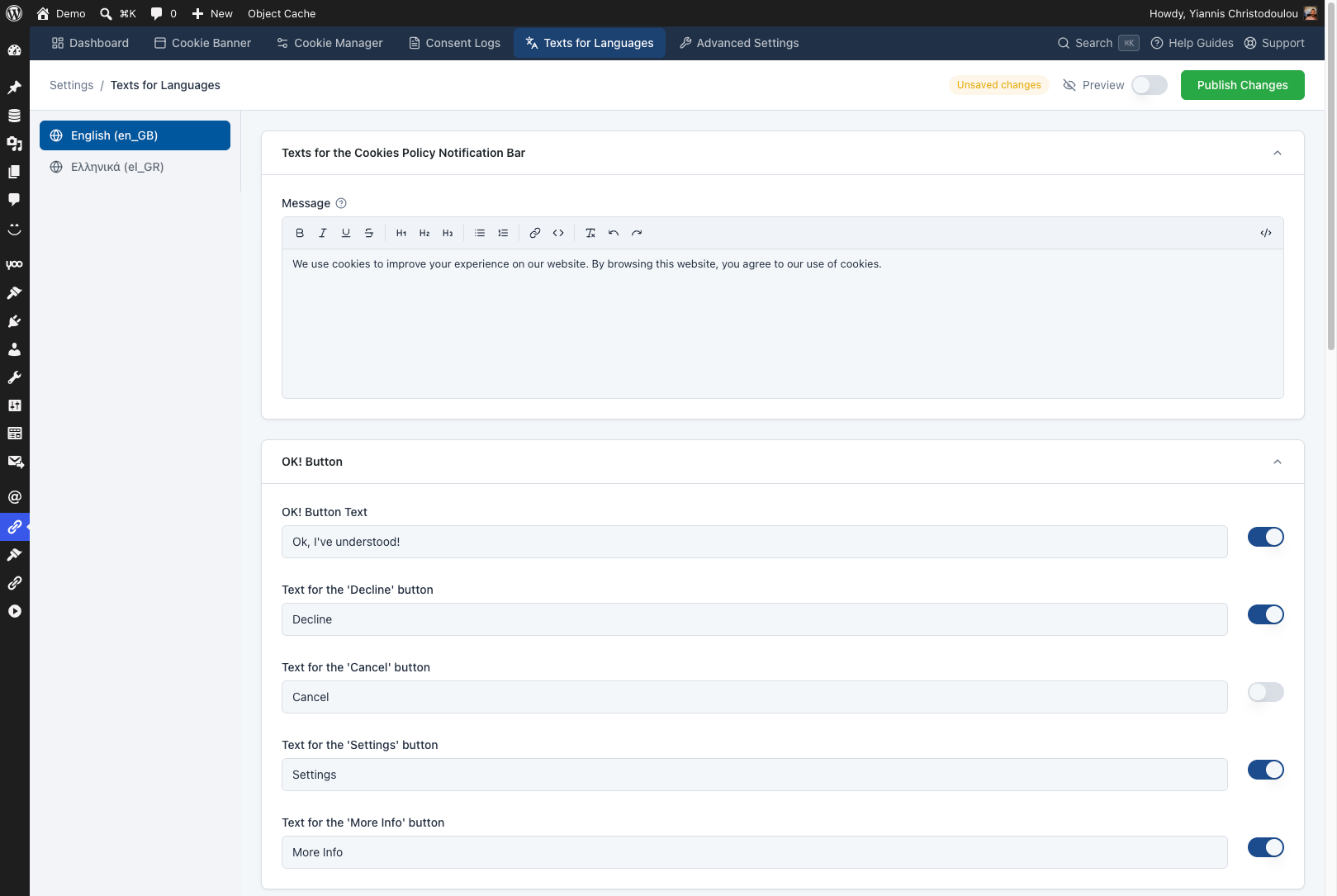
👉 Learn how to manage cookie consent texts for different languages
Advanced controls for developers and agencies
For sites that need more than a banner and a few categories, there are extra controls:
- Custom CSS and JavaScript
- Cookie expiration settings
- Secure and HttpOnly cookie attributes
- Consent sharing across subdomains
- Page and post type visibility rules
- Shortcodes for cookie information tables
- Import and export of plugin settings
- Debugging and testing tools
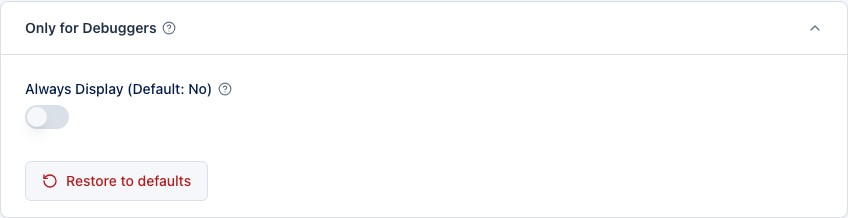
👉 Explore the Advanced Settings
Free or Pro?
The free version is enough to:
- ✅ Display a cookie notification bar
- ✅ Customize the banner’s design and colors
- ✅ Add cookie information with a shortcode
- ✅ Organize cookies into categories
- ✅ Start configuring scripts and consent settings
Pro adds:
- ✅ Consent-based third-party script blocking
- ✅ Geo Targeting
- ✅ Consent Logs and CSV export
- ✅ Multilingual content controls
- ✅ Advanced appearance and behavior settings
- ✅ A floating Cookie Manager button
- ✅ Unlimited cookie categories and scripts
- ✅ Advanced JavaScript, subdomain and import/export tools
- ✅ Premium updates and support
See the full comparison on the Cookie Consent Manager pricing page.
Get started in a few steps
- Download the free version from WordPress.org.
- Install and activate it from your WordPress dashboard.
- Set the appearance and position of the cookie banner.
- Create the cookie categories your site needs.
- Add and assign your third-party scripts.
- Customize the texts for each website language.
- Test the banner before you make the configuration live.
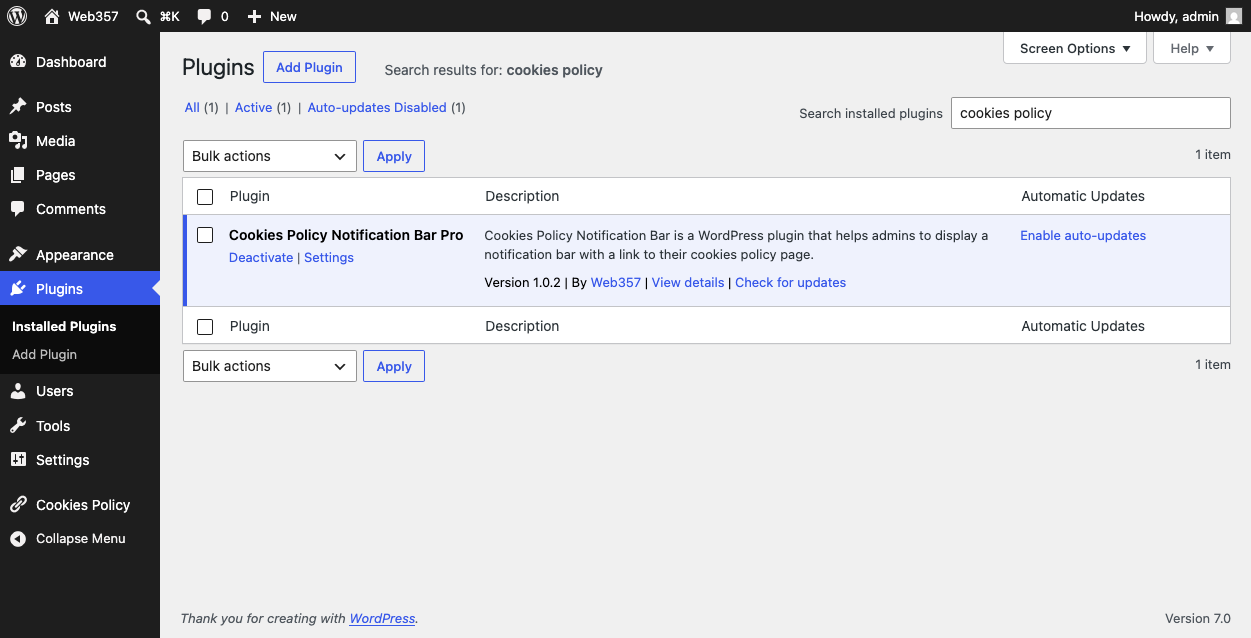
For screenshots and full setup guides, read the Cookie Consent Manager documentation.
A complete cookie consent solution for WordPress
Whether you run a blog, a business site, a store or client websites, Cookie Consent Manager gives you a consent flow that is clear for visitors and manageable for you.
Customize the banner, group cookie preferences, control third-party scripts and let people review or change their choices later.
👉 Download Cookie Consent Manager for free
👉 Explore Cookie Consent Manager Pro
👉 Read the complete documentation
Cookie Consent Manager provides tools that can support GDPR cookie consent workflows. Compliance depends on the plugin’s configuration, the services used by each website and its wider data-processing practices.


Want to leave a comment?