A customer says their order is missing. A member cannot open a course. Asking for their password is not an option, and screenshots by email take days.
Login as a User puts a Login as button next to every user. You click it, see the site exactly as that person sees it, fix the problem, and click Go back to admin to return to your own account.
The free version works on any WordPress site. PRO adds the button to WooCommerce, WooCommerce Subscriptions and SureCart, and lets you decide which roles can use it.

30,000+ active installs on wordpress.org · 96% rating from 41 reviews

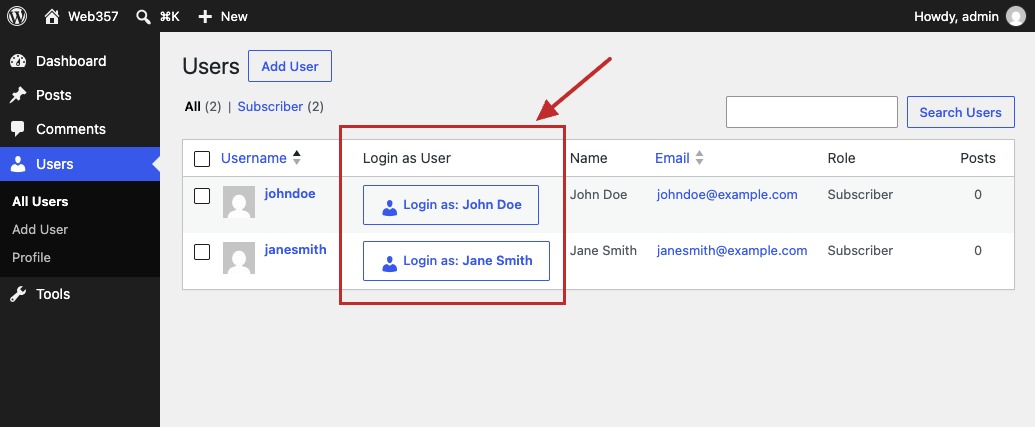
Click Login as next to a name and you see the site as that user.
The plugin adds a Login as User column to Users → All Users. No password is asked for or stored, as the getting started guide explains.

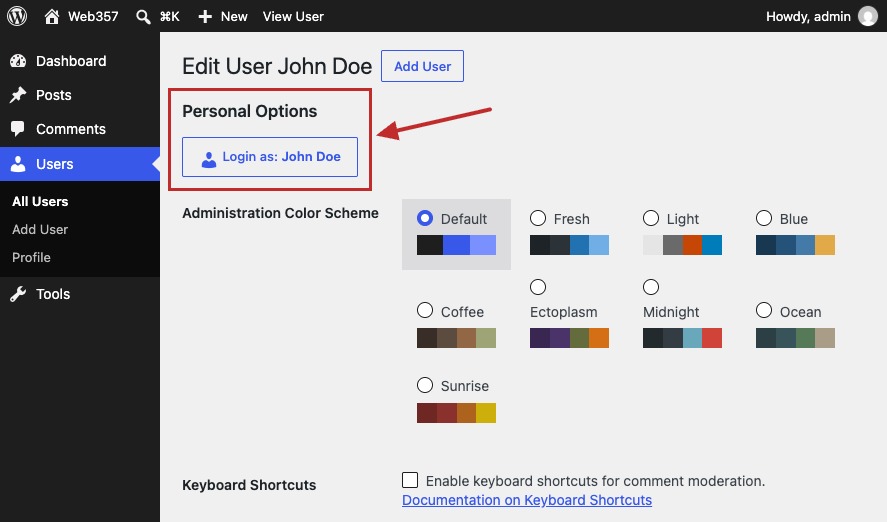
Already looking at a user's profile? Log in as them from there.
The same button appears under Personal Options at the top of the Edit User screen, so you do not have to go back to the list. You can change its label in the Login Button settings.

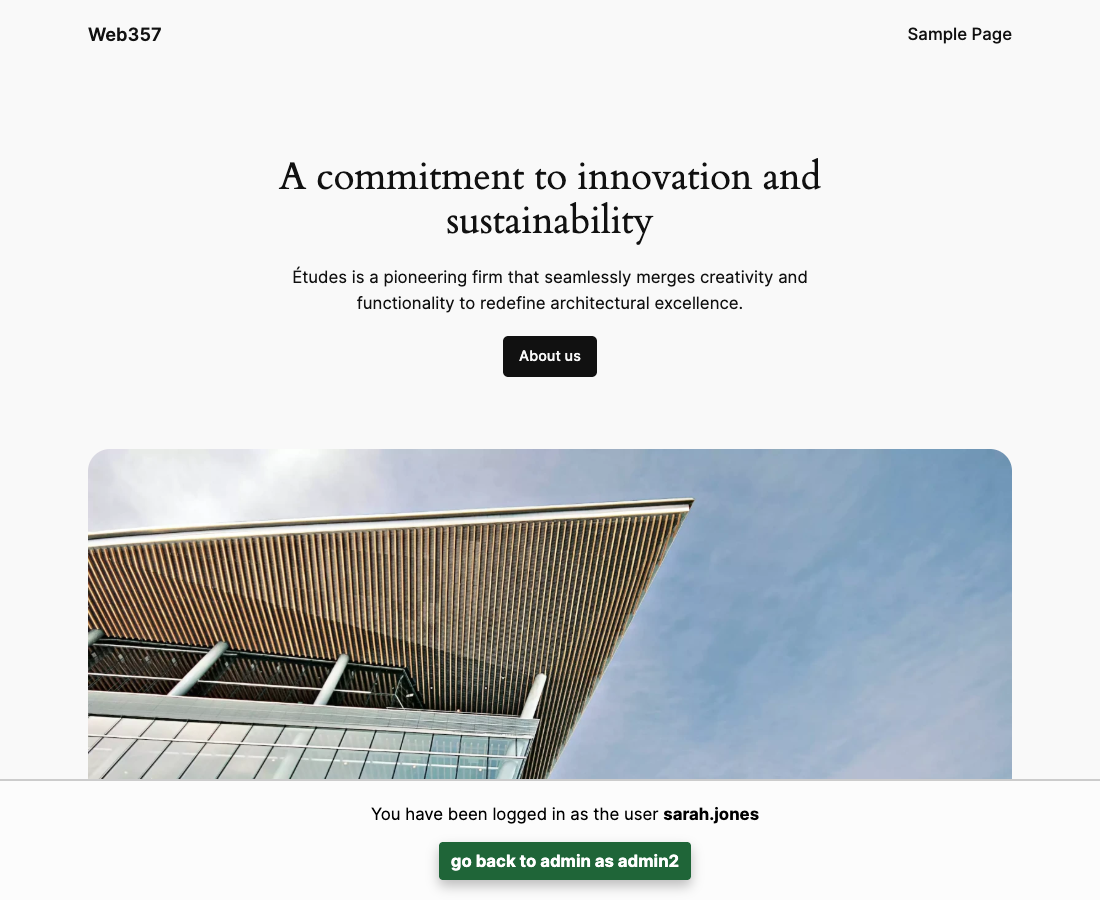
One click on Go back to admin and you are yourself again.
While you are logged in as someone else, a message bar shows whose account you are using, with a button that takes you back to your own.

Answer "my order is missing" from the customer's own account.
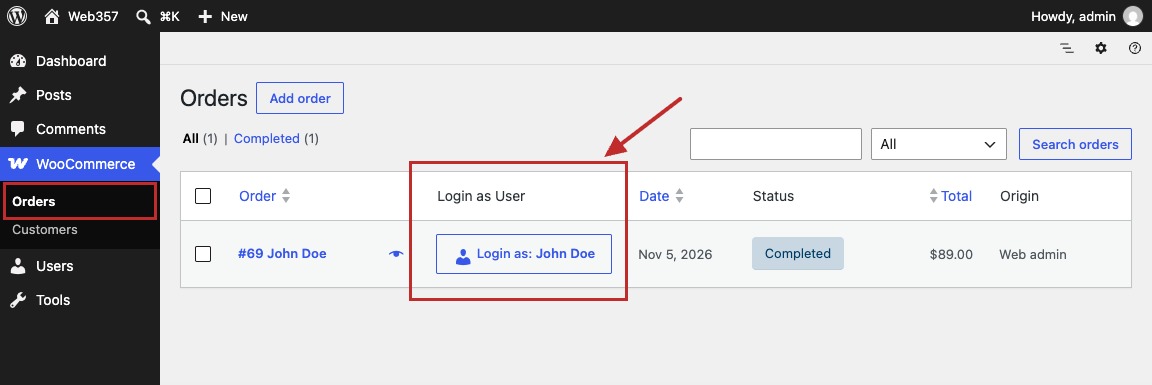
The order buttons are in PRO. A Login as User column on WooCommerce → Orders takes you straight into the customer's account, as the WooCommerce integration describes.

Open an order and check billing, shipping and status from the customer's side.
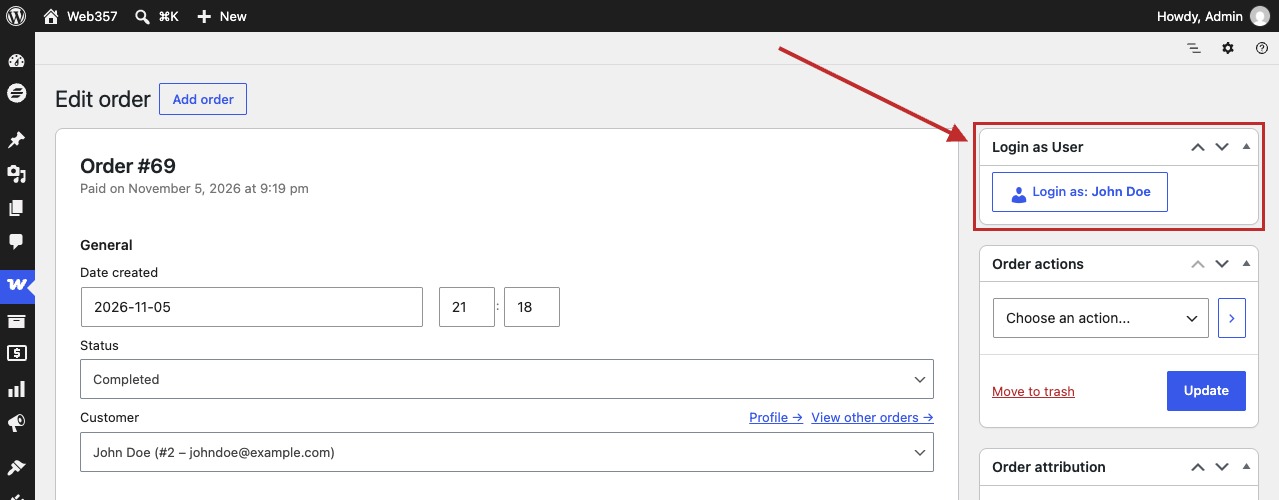
In PRO. A Login as User box sits in the sidebar of each order, and of each subscription when WooCommerce Subscriptions is active.

Let Shop Managers log in as Customers, and never as Administrators.
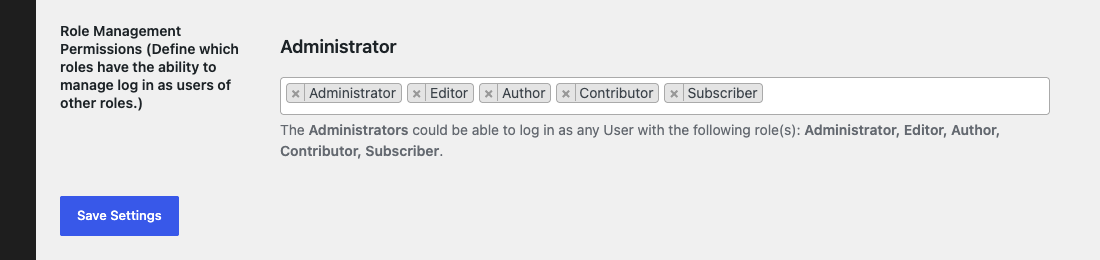
Role permissions are in PRO. For each role that can use the plugin, pick the roles it may log in as under Role Management and Permissions.

Your support team can use the button without being administrators.
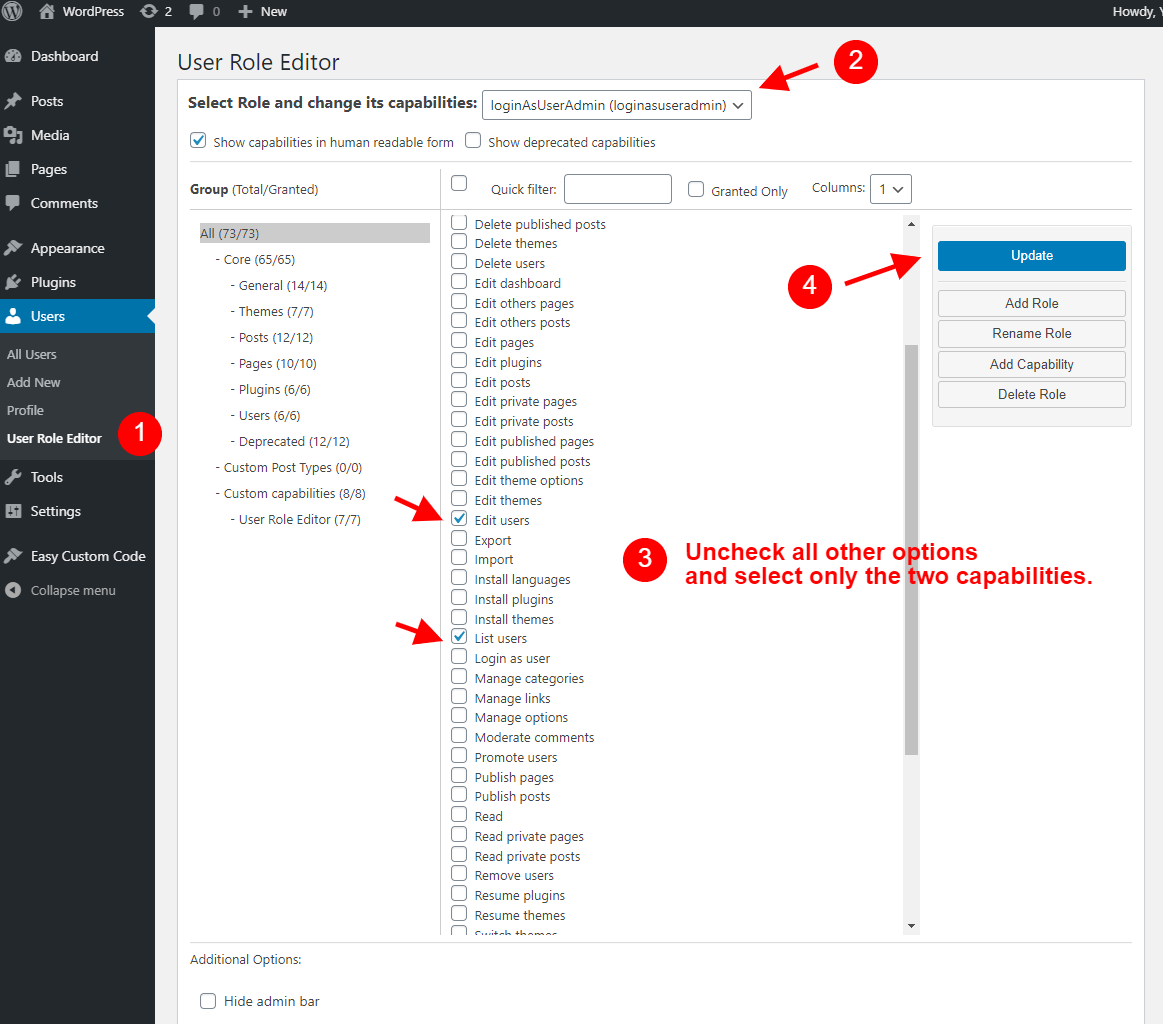
The button appears for anyone with the edit_users capability. In the free version you can give that to a custom support role with a role editor plugin, as shown here. In PRO you assign it under Edit Users Capability Assignment.
Single Plugin (Pro)
Access to the Premium version of
Login as a User
Use it on any number of sites. Licenses for 1 website.
Premium support for 1 year
Plugin updates for 1 year
Life time usage
Ideal when you need just this one plugin.
Add €120 and get all 8 plugins on 1 website.
Costs less than 5 single plugins
About €19.88 per plugin
All 8 premium WordPress plugins, plus every new one we release.
Use all plugins on any number of sites. Licenses for 1 website.
Everything in Single Plugin, plus:
The other 7 premium WordPress plugins
Cookie Consent ManagerMicrosoft 365 & Outlook MailerGmail SMTP ConnectEasy Custom Code (LESS/CSS/JS)Mail LogFix 404 Error LinksEvery new plugin we release
One subscription, one renewal
Premium support for 1 year
Plugin updates for 1 year
Life time usage
So much better than a trial because you can try it on your website and we will be there to fully support you during that time.
| Features | FREE | PRO |
|---|---|---|
Login as User from the Users list A Login as button next to every user in Users → All Users. | ||
Login as User from the user profile The same button at the top of the Edit User screen. | ||
Switch back in one click A frontend message bar with Go back to admin, plus an optional link in the admin bar. Learn more in Frontend Message. | ||
Redirect after login and logout Send yourself to the page you choose when you log in as a user and when you switch back. | ||
Preserve the WooCommerce cart Keep the customer's cart intact while you log in as them and switch back. Learn more in Cart Preservation. | ||
Button label and message settings Show the username, first, last or full name on the button, limit its length, and place the message bar at the top or bottom. | ||
MemberPress lists A Login as User button on the MemberPress Members, Subscriptions and Transactions lists. | ||
Multisite, User Insights and developer hooks Works across a Multisite network, shows the button in User Insights, and has filters for redirects and cart behaviour. | ||
WooCommerce Orders list A Login as User column next to each order in WooCommerce → Orders. | ||
WooCommerce order details A Login as User box in the sidebar of each order. | ||
WooCommerce Subscriptions The button on the subscriptions list and in each subscription's sidebar. | ||
SureCart customers and orders A Login as User button on the SureCart Customers and Orders lists. | ||
Role management permissions Choose which roles can log in as which other roles, and give the edit_users capability to a role. Learn more in Role Management. | ||
Shortcode Place a Login as User button on any page, post or widget with the login_as_user shortcode. Learn more in Shortcode. | ||
List Appearance Show or hide the column and set its position and size on the Users, WooCommerce and SureCart lists. | ||
Custom CSS Style the frontend bar and the admin buttons without editing plugin files. |

Web357 creates super useful extensions. Login as User is fantastic for allowing site admins to understand the frontend UX from any user's perspective. No extra "test" users needed. Support is also amazing!
Web357 extensions are solid, reliable, and thoughtfully built - no fluff, just tools that do exactly what they promise. Support is incredibly responsive, and updates are clearly made with real users in mind. It's rare to find such professionalism in this space.
We have used Joomla and WordPress plugins by Web357 for many years in various projects. The plugins are exceptionally reliable and robust. Special thanks to Yannis, for his outstanding assistance-always responsive and professional. Highly recommended for anyone seeking quality plugins and excellent customer support.
I've been using Web357's Joomla plugins for several years and I must say I've never had any problems; they've always met my expectations! My heartfelt congratulations to the Web357 staff.
Web357 extensions are reliable, well-crafted, and consistently updated. We've used them for years across professional Joomla and WordPress projects and have always been impressed by their performance and support. A trusted part of our development toolkit.

Crafted with care, driven by passion, because when you love what you do, it’s impossible to hide.

We care about your website just as much as you do. Count on us for fast, helpful support.

Great ideas come from fresh thinking, and we never run out of either.

Our code is clean, lightweight and built to industry standards, easy to use, easy to trust.
GNU/GPL v3
30,000+ active installs · 96% rating from 41 reviews
Log in as any WordPress or WooCommerce user with one click to see the site as they see it, then switch straight back, without asking for their password.
Buy PRO30-day money back guarantee