Web357 Logo
Menu
  • Joomla! Extensions
    Browse all Joomla! Extensions
    PROPaid, no free version
    • Cookies Policy Notification BarPopular
    • Login as UserPopular
    • Monthly ArchivePopular
    • Microsoft/Outlook 365 Mail ConnectNew
    • Gmail SMTP ConnectNew
    • JMail LogNew
    • Multilingual 404 Page SelectorNew
    • Multiple Categories for K2
    • Contact Info
    Free + PROFree version, paid PRO upgrade
    • Fix 404 Error Links
    • Limit Active Logins
    • Failed Login AttemptsPopular
    • JLogsNew
    • VirtueMart Sales
    • Support Hours
    FreeFree download
    • Display Date and TimePopular
    • CountdownPopular
    • www Redirect
    • VirtueMart Count Products
    • Fixed HTML Toolbar
    • Web357 Framework
    All Access Joomla! Bundle: just €159

    The PRO version of all 15 paid Joomla! extensions, every new one we release, and premium support. All for €159 a year.

    The All Access Bundle

    arrow upSave €426 (73% off)

  • WordPress Plugins
    Browse all WordPress Plugins
    Free + PROFree version, paid PRO upgrade
    • Login as a UserPopular
    • Cookie Consent ManagerNew
    • Microsoft 365 & Outlook MailerNew
    • Gmail SMTP ConnectNew
    • Easy Custom Code (LESS/CSS/JS)
    • Mail LogNew
    • Fix 404 Error LinksNew
    • Limit Active LoginsNew
    FreeFree download
    • Count Characters, Words and Paragraphs
    • Fixed HTML Toolbar
    All Access WordPress Bundle: just €159

    The PRO version of all 8 paid WordPress plugins, every new one we release, and premium support. All for €159 a year.

    The All Access Bundle

    arrow upSave €153 (49% off)

  • Maintenance
  • Support
  • Blog
  • My Account
My Account
Web357 logo

Web357 delivers premium plugins and tailored solutions for Joomla! and WordPress websites. Since 2014, our experienced team has been committed to improving the performance, usability and security of these platforms. We focus on building tools that empower developers, digital agencies, and web professionals, backed by expert support and ongoing maintenance.

Company
  • About Us
  • Imprint
  • Media kit
  • Partners
  • Blog
  • Contact Us
  • Donate
Support
  • Help & Support
  • Pre-sales FAQ
  • Documentation
  • Maintenance
  • License
  • Contribute Translations
  • Latest Releases
Joomla!
  • Joomla! Extensions
  • Joomla! Bundle
WordPress
  • WordPress Plugins
  • WordPress Bundle

© 2026 Web357. All rights reserved.

  • Terms of Service
  • Privacy Policy
  • Refund Policy

Sticky HTML Toolbar for WordPress

Sticky HTML Toolbar for WordPress

You want a sale notice, a phone number or your social icons to stay on screen while visitors scroll, without editing the theme.

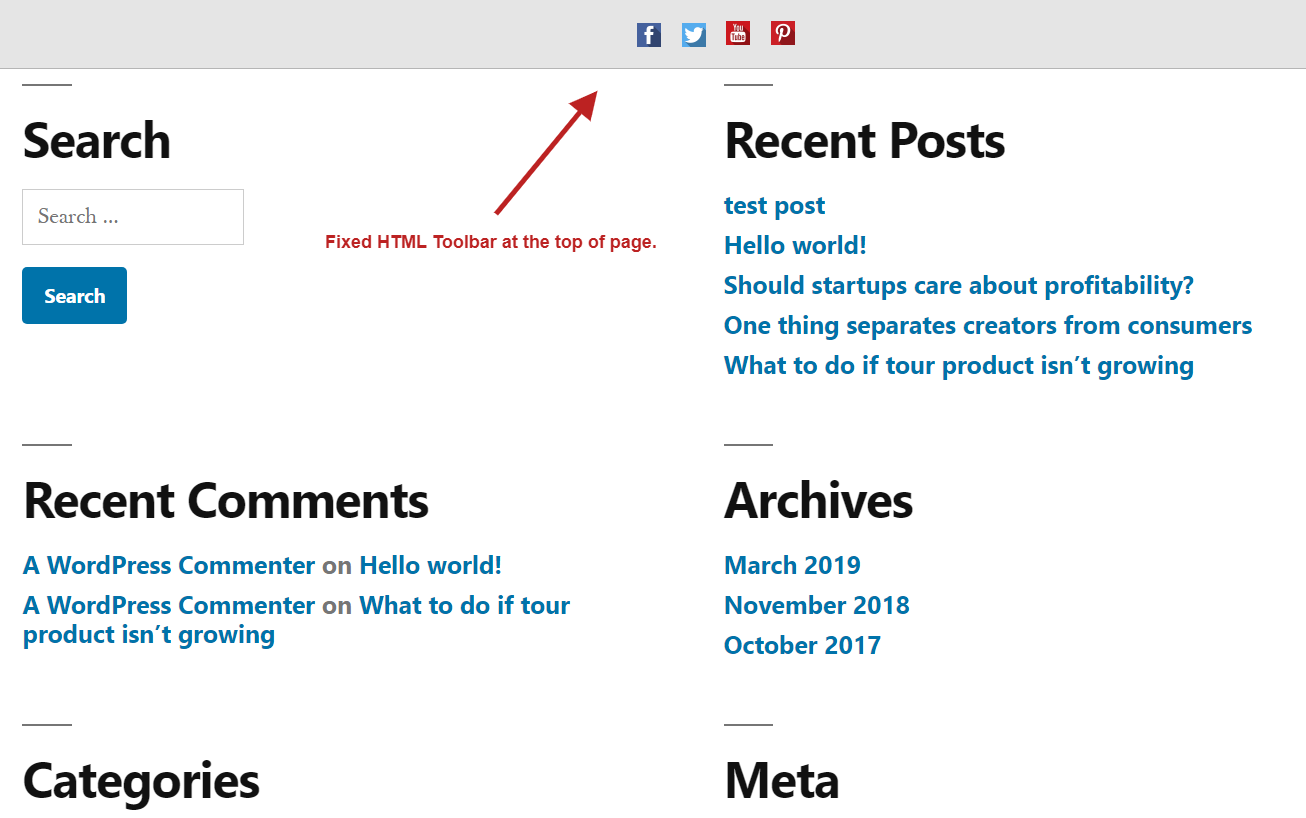
Fixed HTML Toolbar adds a bar fixed to the top or bottom of your site. You write the content with the WordPress editor or pick up to 5 linked icons, choose the pages where it shows, and match the colours to your site.

It is free and works on phones and desktops.

Free on WordPress.org
Sticky HTML Toolbar for WordPress
Compatibility
WordPress5.xWordPress6.xWordPress7.x
Reviews
WordPress.org
Version
v1.1.2Changelog→
  • avatar
  • avatar
  • avatar
  • avatar
  • avatar
  • avatar
  • avatar
  • avatar
  • avatar
  • avatar
  • avatar
12,500+ customers since 2014

100% rating from 5 reviews

⚙️ On, Off, Top or Bottom, and Where It Shows

⚙️ On, Off, Top or Bottom, and Where It Shows

⚙️ On, Off, Top or Bottom, and Where It Shows

Decide where the bar appears before you fill it.

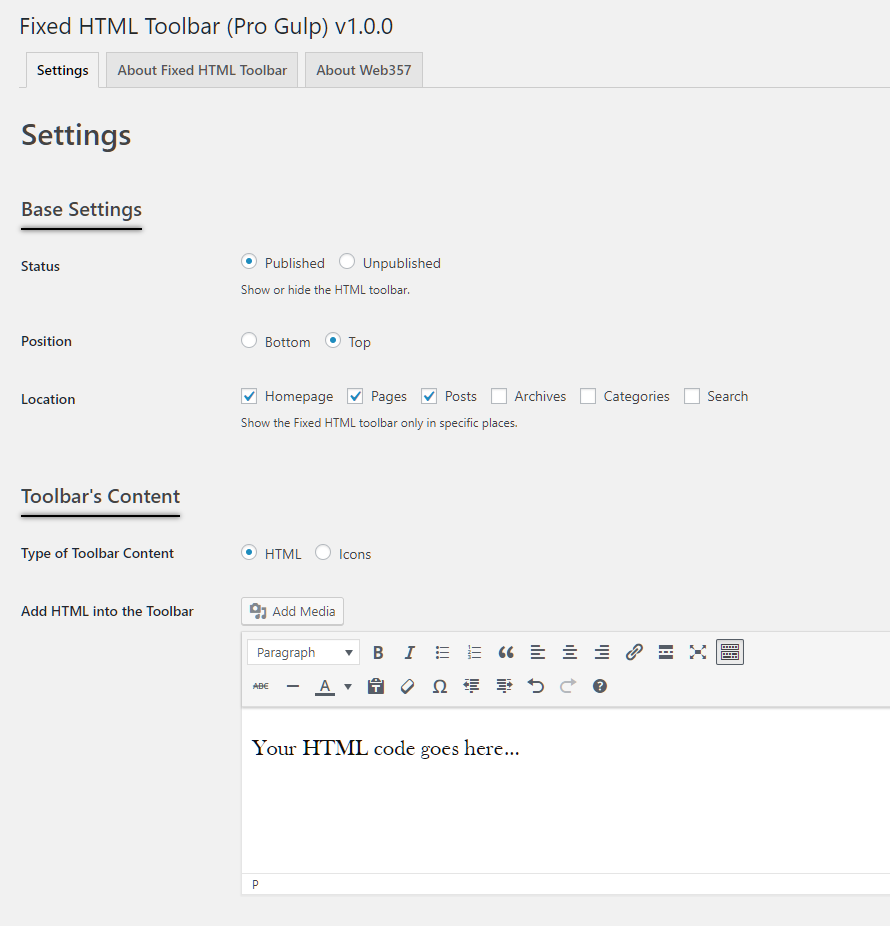
Under Base Settings turn the toolbar on, pick the top or the bottom of the screen, and tick the parts of the site where it should show.

  • Homepage, pages, posts, archives, categories and search
  • Turn it off without losing your content
  • Write the content with the familiar WordPress editor

🔗 Up to 5 Linked Icons

🔗 Up to 5 Linked Icons

🔗 Up to 5 Linked Icons

Point visitors to your social profiles.

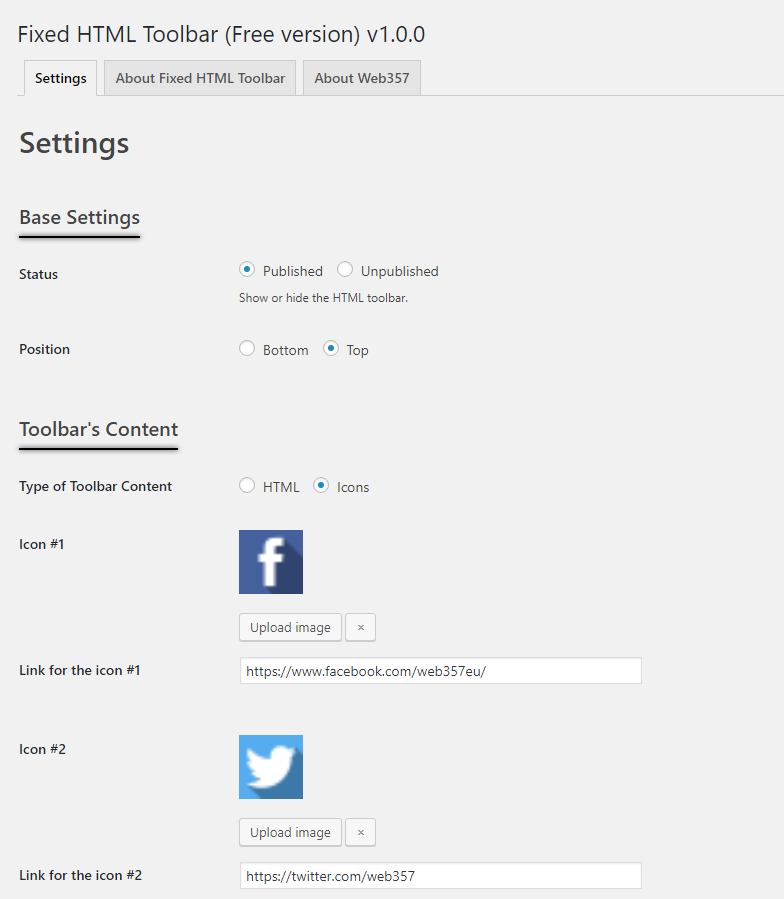
Switch the content to Icons and add up to five images, each with its own link. Choose whether the links open in the same window or a new one.

  • Use any image from the Media Library
  • One link per icon
  • Set the space between icons

⬇️ A Bar at the Bottom of the Screen

⬇️ A Bar at the Bottom of the Screen

⬇️ A Bar at the Bottom of the Screen

Stay out of the way of the header and menu.

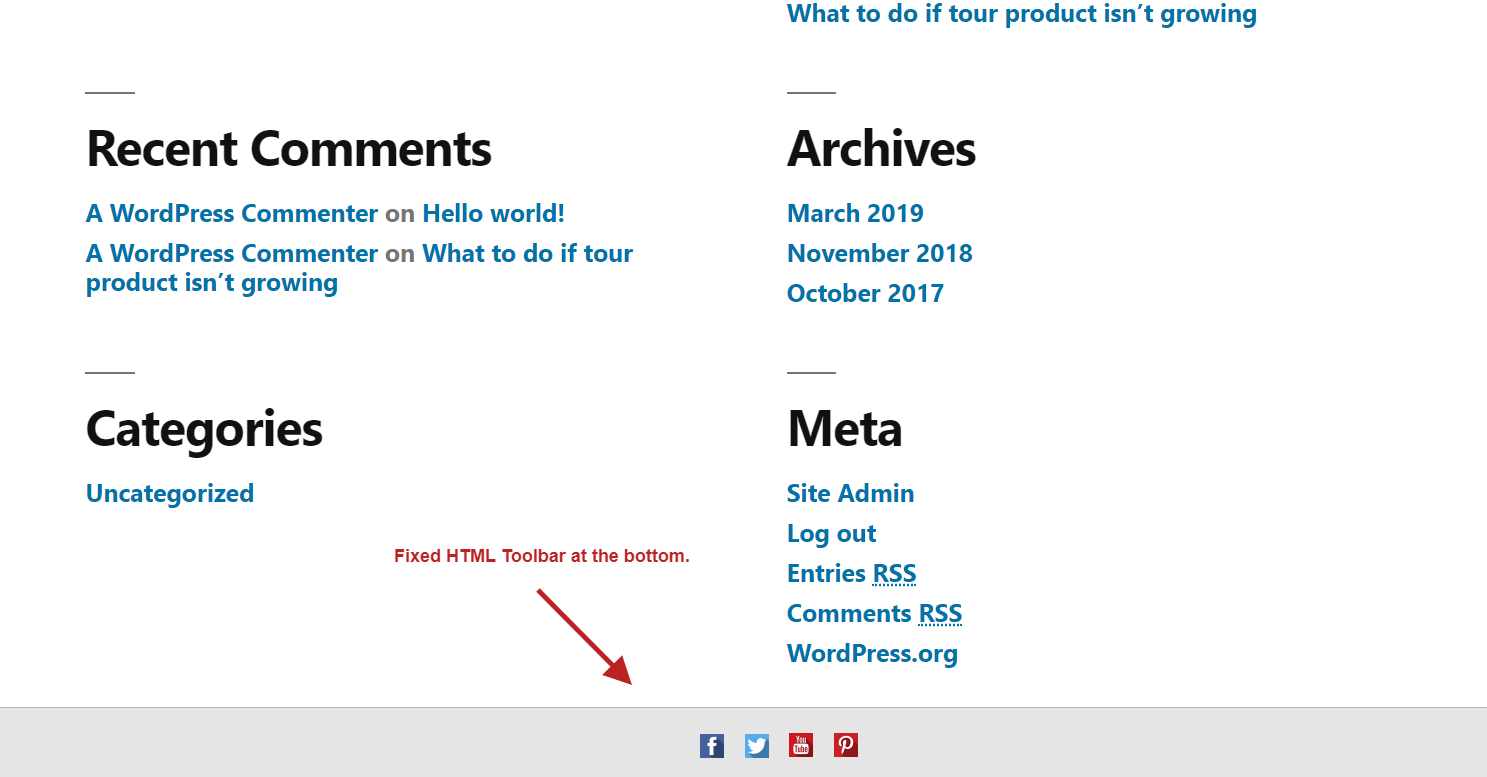
At the bottom the bar sits below the content and stays there while the page scrolls. If it covers your footer, the FAQ shows the CSS that adds space for it.

  • Good for social icons and contact links
  • Hidden when a visitor prints the page
  • Works on phones and desktops

⬆️ A Bar at the Top of the Screen

⬆️ A Bar at the Top of the Screen

⬆️ A Bar at the Top of the Screen

Keep the same icons, or a notice, at the top.

At the top the bar stays above the page while visitors scroll. Show your icons there, or switch to HTML mode for a short notice, a sale or a phone number.

  • Icons or any HTML from the WordPress editor
  • Links, bold text and images
  • The same bar on every page you chose

🎨 Colours, Spacing and Custom CSS

🎨 Colours, Spacing and Custom CSS

🎨 Colours, Spacing and Custom CSS

Match the bar to your site.

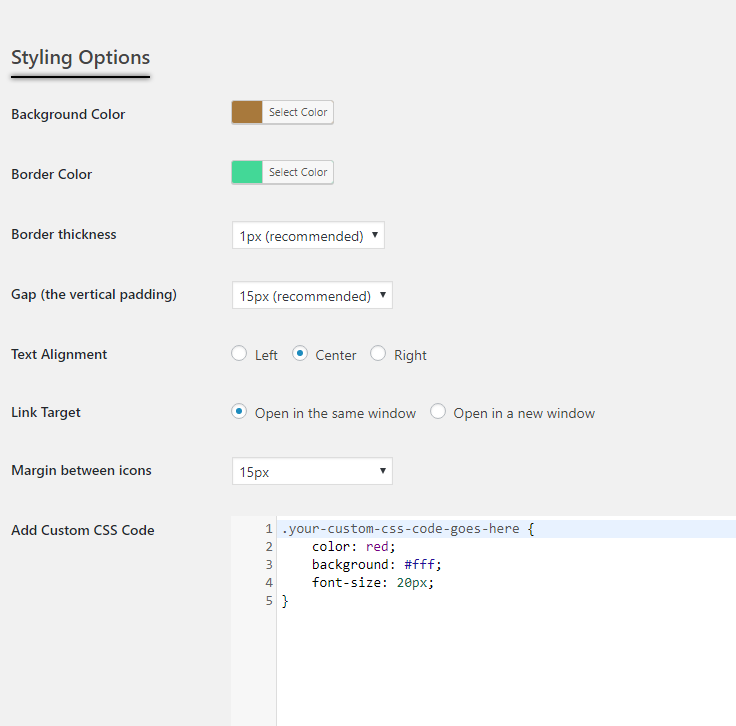
The styling options cover colours, borders, padding, alignment and the space between icons. For anything else, add your own CSS.

  • Background and border colours
  • Border thickness and vertical padding
  • A custom CSS field for the toolbar
Powerful Features
  • 📌 Always visible

    The bar is fixed to the top or bottom of the screen, so your notice or icons stay in view while visitors scroll, as the configuration guide explains.
  • 🎯 Only where you want it

    Show the bar on the homepage, pages, posts, archives, categories or search results, in any combination, with the Location setting.
  • 🪶 Loads only where it shows

    The plugin adds its CSS and JavaScript only on pages where the toolbar appears, as the FAQ notes.
Free on wordpress.org and rated 5 out of 5 by its users. The configuration guide covers every setting, from position to custom CSS.
Why Developers Trust Our Joomla! extensions & WordPress Plugins
  • Love & Attention
    Love & Attention

    Crafted with care, driven by passion, because when you love what you do, it’s impossible to hide.

  • Premium Support
    Premium Support

    We care about your website just as much as you do. Count on us for fast, helpful support.

  • Always Fresh Ideas
    Fresh Ideas, Always

    Great ideas come from fresh thinking, and we never run out of either.

  • Clean, Reliable Code
    Clean, Reliable Code

    Our code is clean, lightweight and built to industry standards, easy to use, easy to trust.

Latest Version

v1.1.2

View Changelog
WordPress Compatibility
WordPress5.xWordPress6.xWordPress7.x
License

GNU/GPL v3

WordPress.org
WordPressTry the free version

Install from the official WordPress.org directory