Did that email actually leave the site?
Mail Log keeps every message WordPress sends, and whether it was sent, failed, or never got an answer. Open the row, read the error, and resend the original if the customer still needs it.

30-day money back guarantee · Support reply within 24 hours

See whether mail is leaving the site.
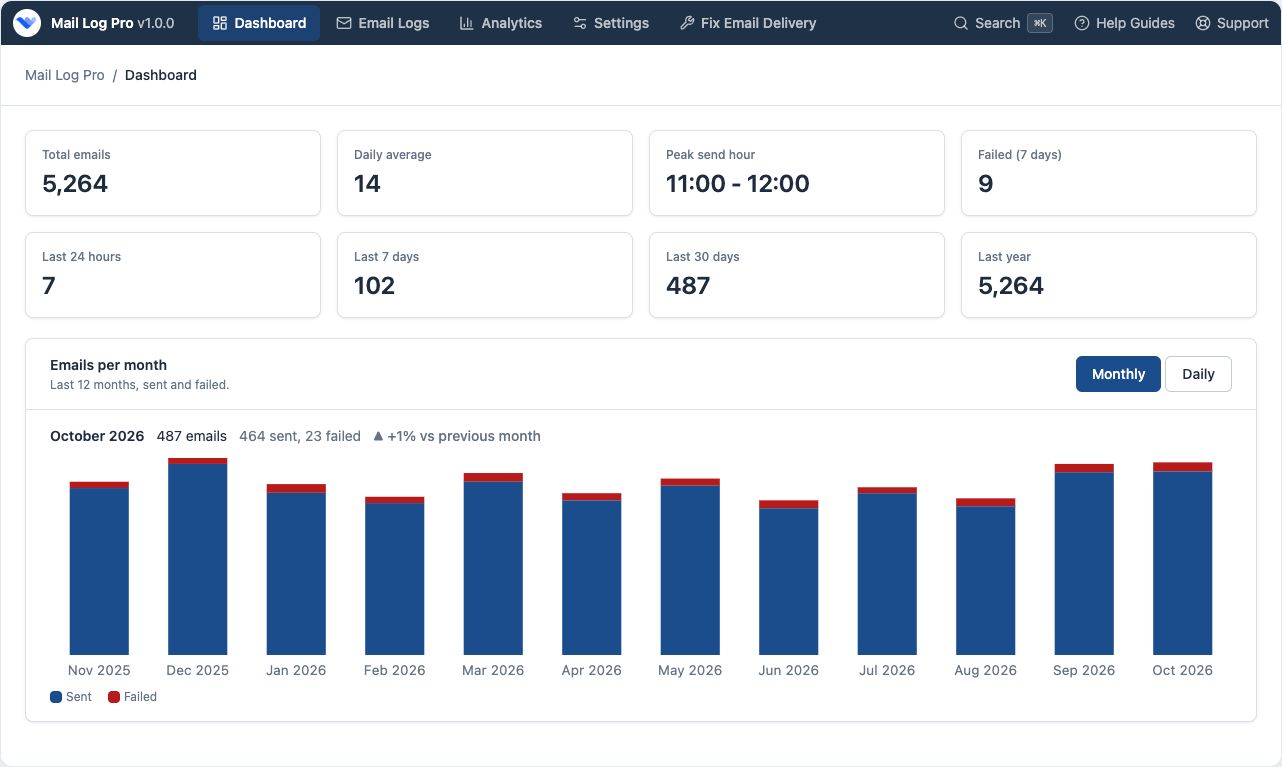
Order emails, password resets, and contact forms all pass through wp_mail(). The dashboard shows how many went out, how many failed, and the latest messages.

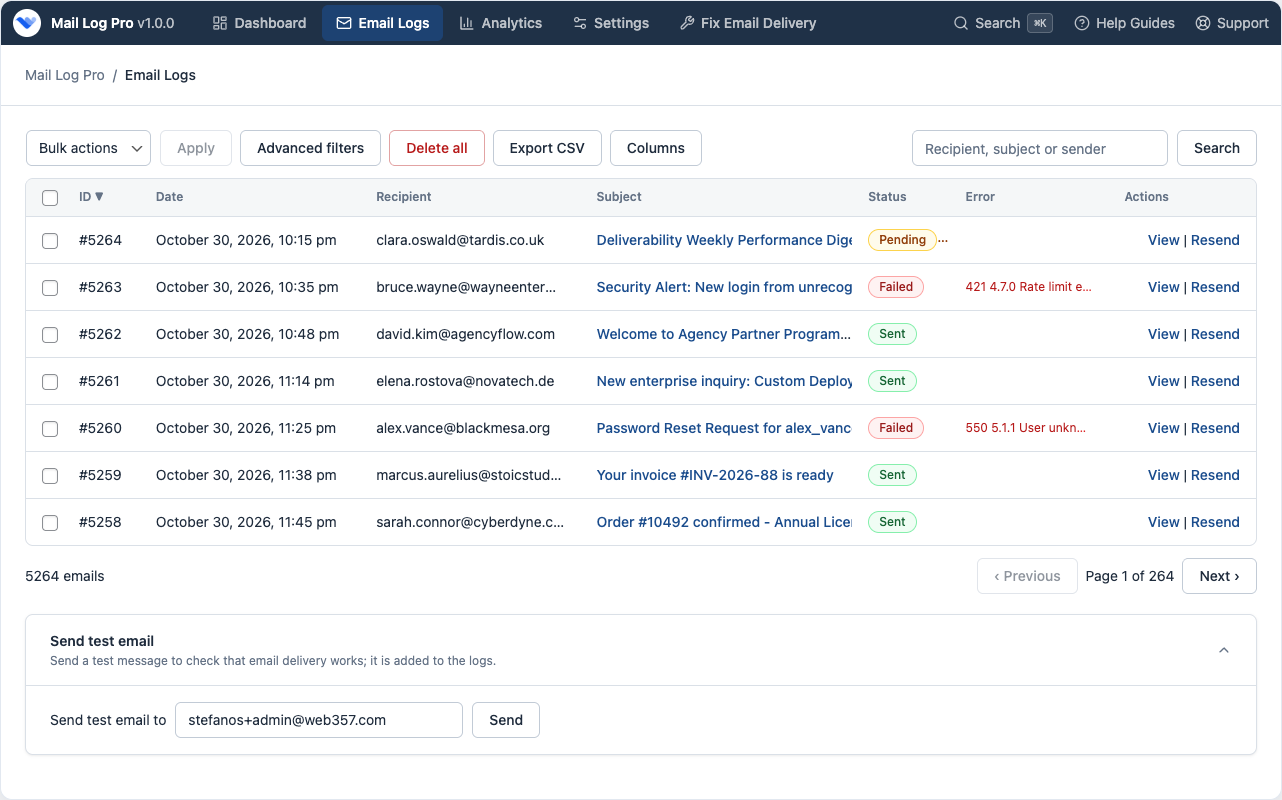
Find the message a customer says they never got.
Search the email log by recipient, subject, or sender. Each row is Sent, Failed (with the error), or Pending (the request stopped before the mailer answered).

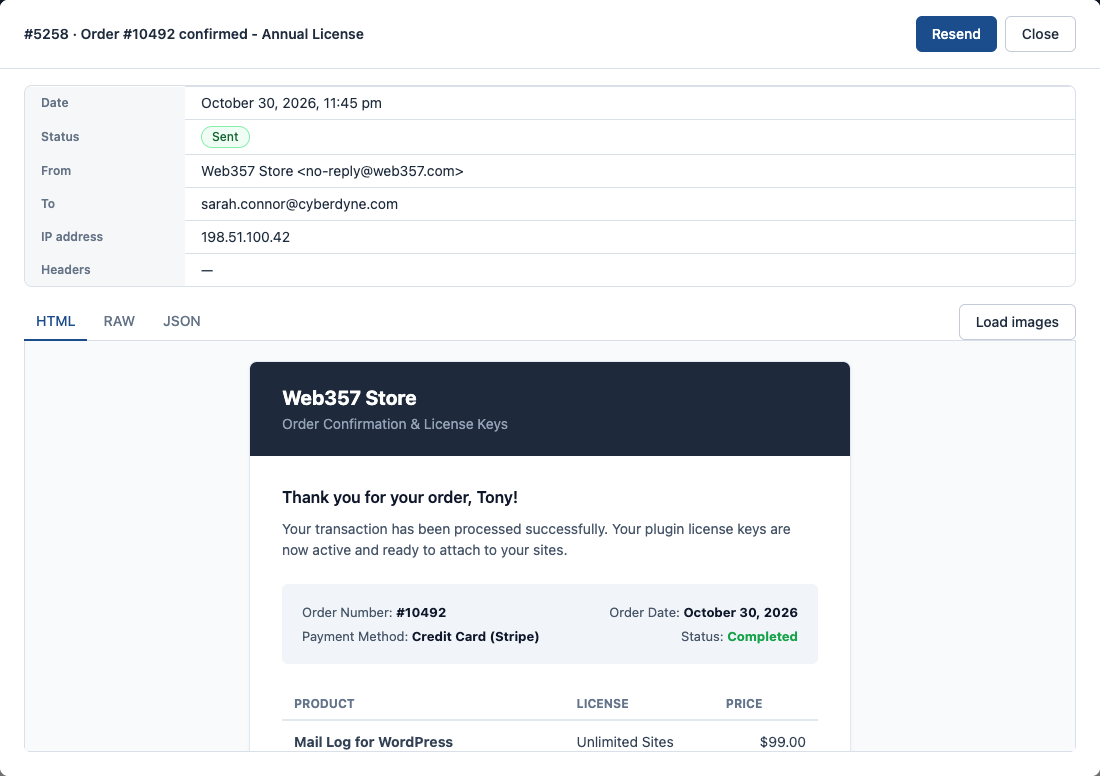
Read the email without running whatever is inside it.
When you open an email, the HTML is shown in a frame where scripts cannot run. Pictures from other sites stay hidden until you click Load images.

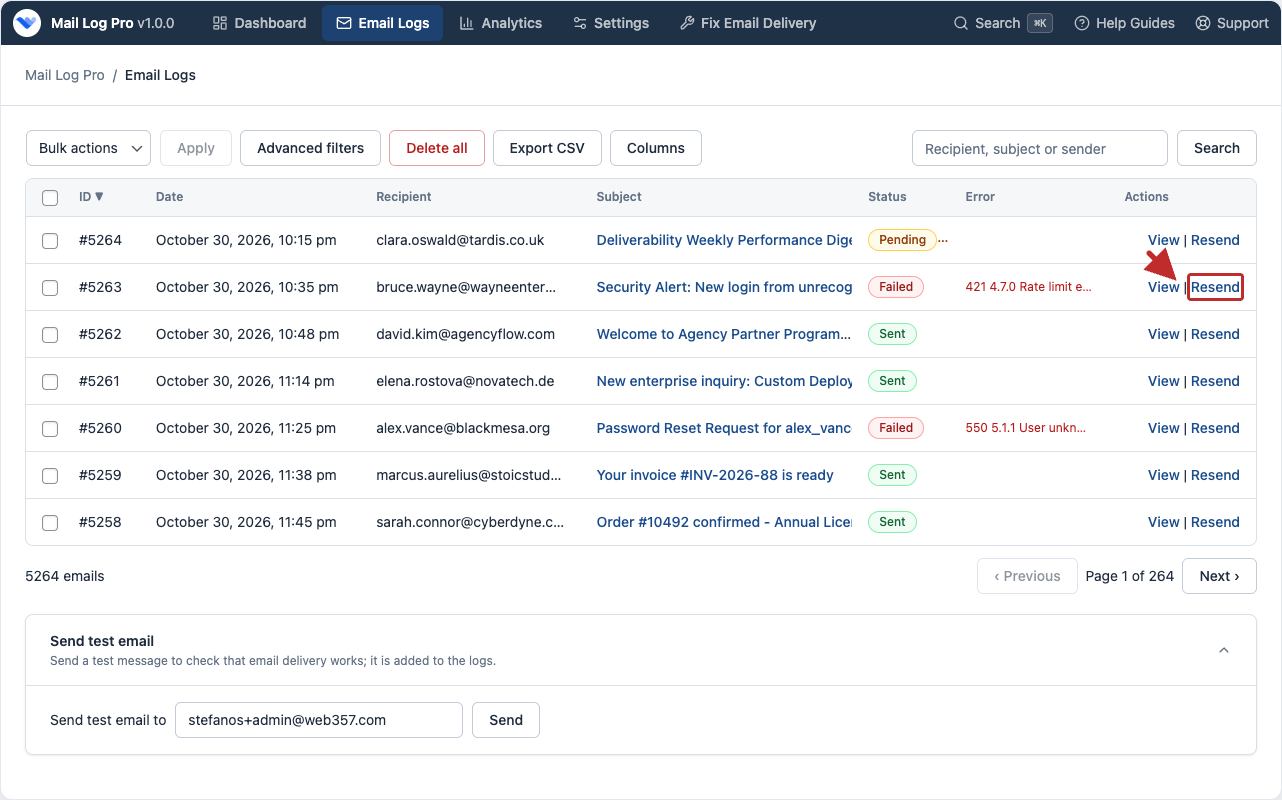
Send the original email again.
When an invoice or a reset link never arrived, resend that exact message from the list or from the preview. You do not have to place the order again.

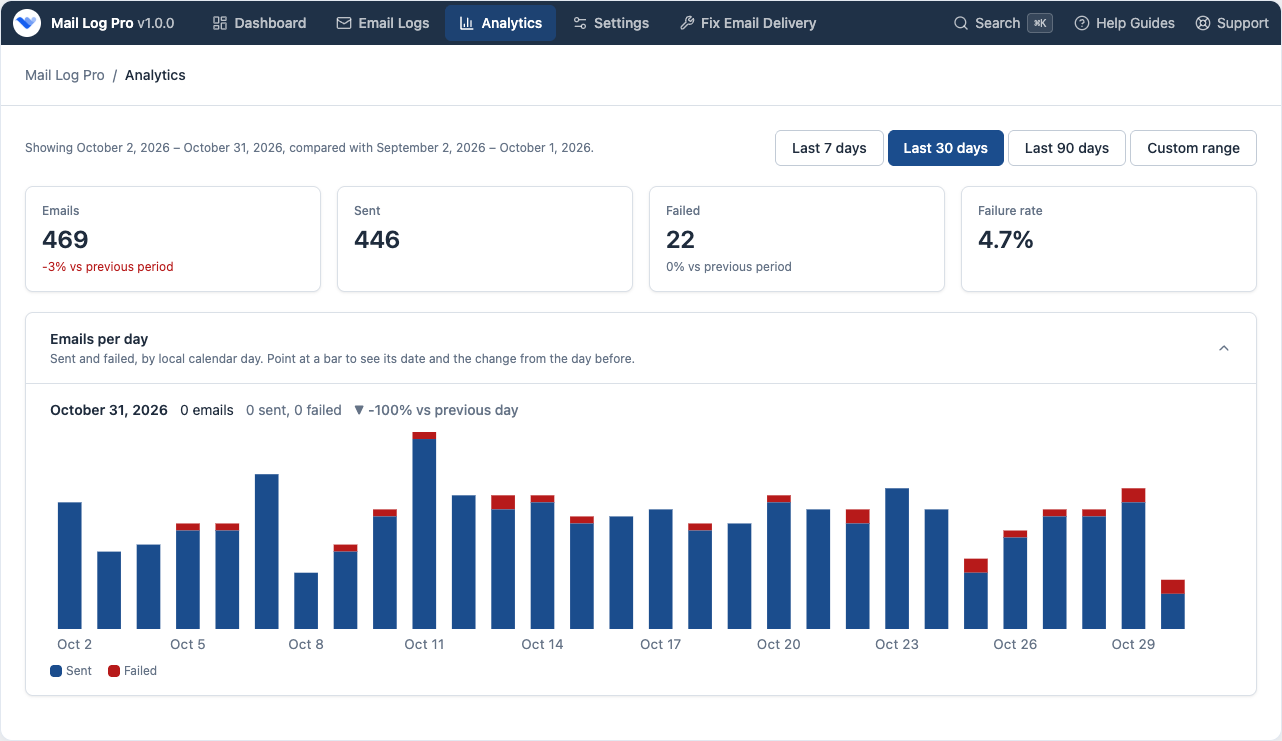
Compare this period with the one before it.
In Analytics, pick the last 7, 30, or 90 days, or any range up to a year. You can see whether failures went up after a host change or a plugin update.

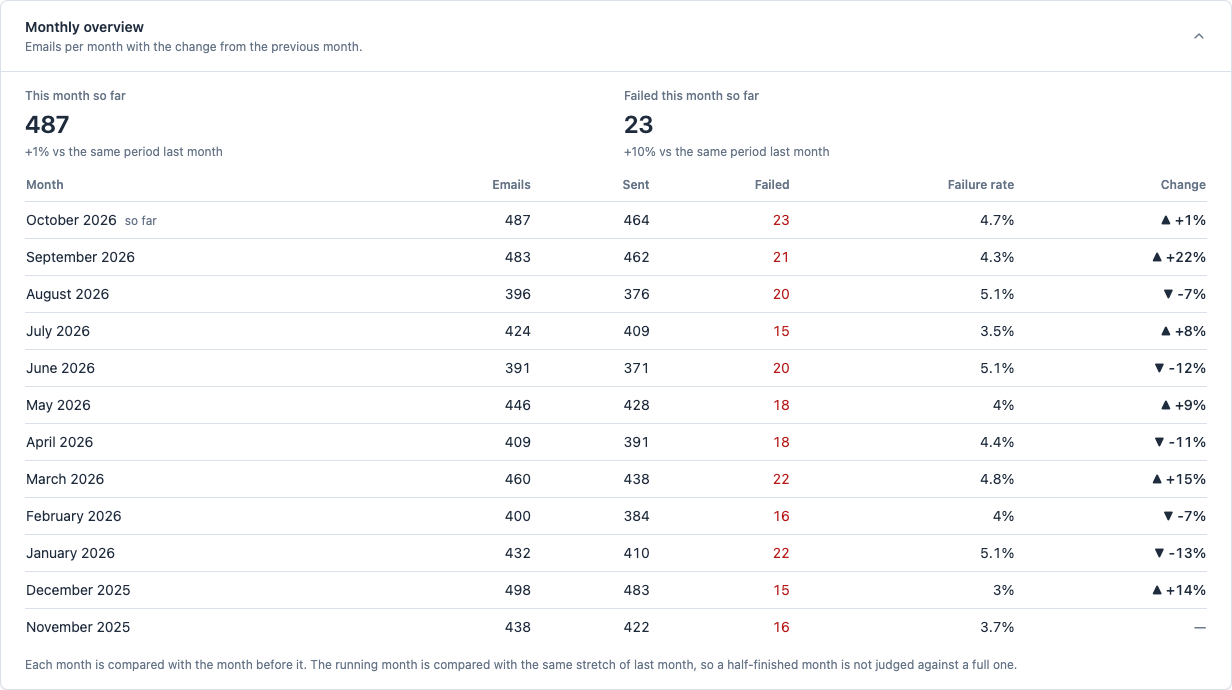
A year of sending, one month per row.
The 12-month table shows totals, successes, failures, and the failure rate. The current month is also compared with the same stretch of days last month.

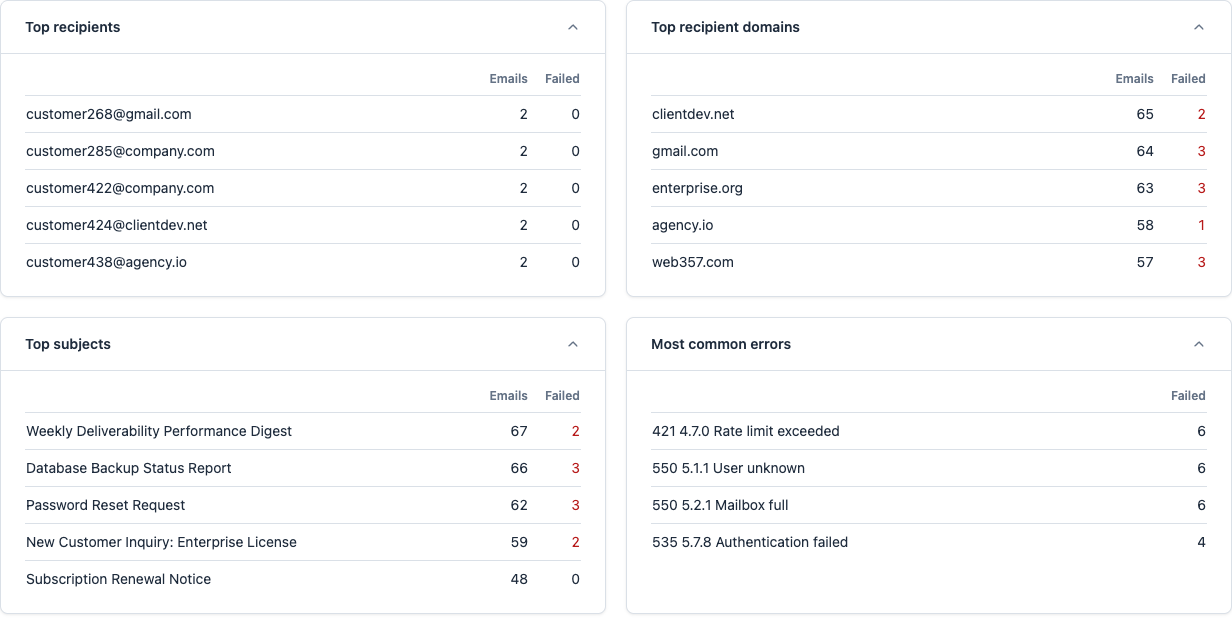
See which inboxes, and which errors, come up again.
If Gmail starts rejecting mail, the domain table shows it. The error table shows the message your mailer returned, ranked by how often it appears.

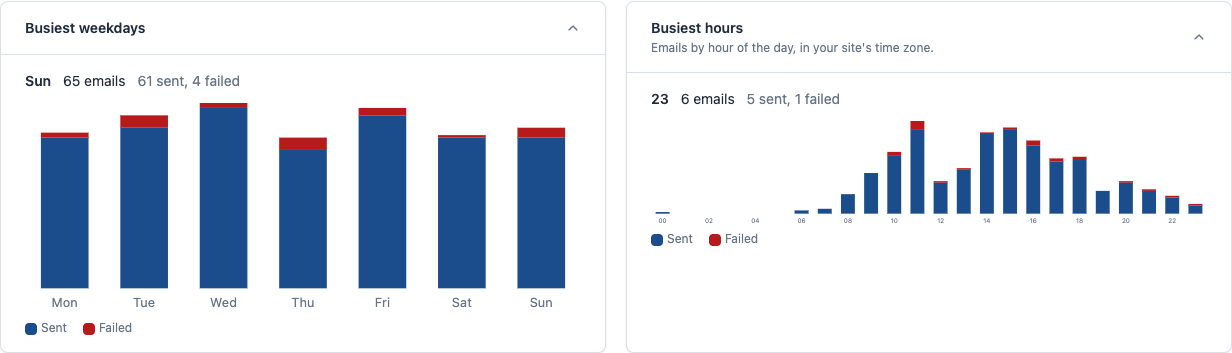
When the site sends the most mail.
The busiest hours charts use your WordPress timezone. A busy hour is a bad time to run a heavy cleanup.

A quick check on the main WordPress dashboard.
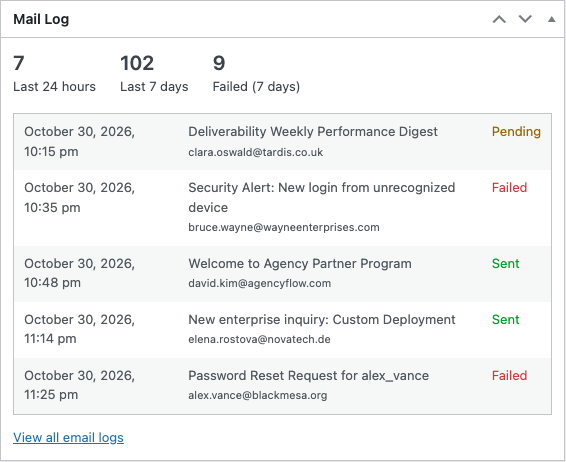
You do not have to open Mail Log every morning. The admin widget shows the last 24 hours, the last 7 days, recent failures, and the five latest emails.

Let support see the log. Do not let them read reset links.
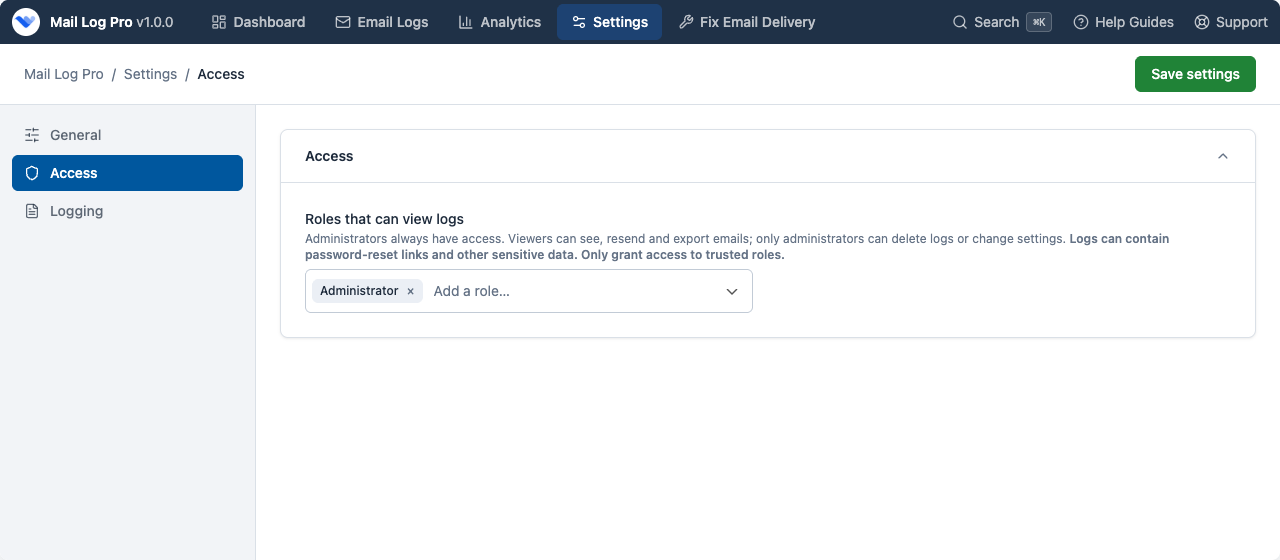
Administrators always have access. You can allow other roles to view status and resend. Message bodies stay hidden from everyone who is not an administrator.

Keep IP addresses only if you need them.
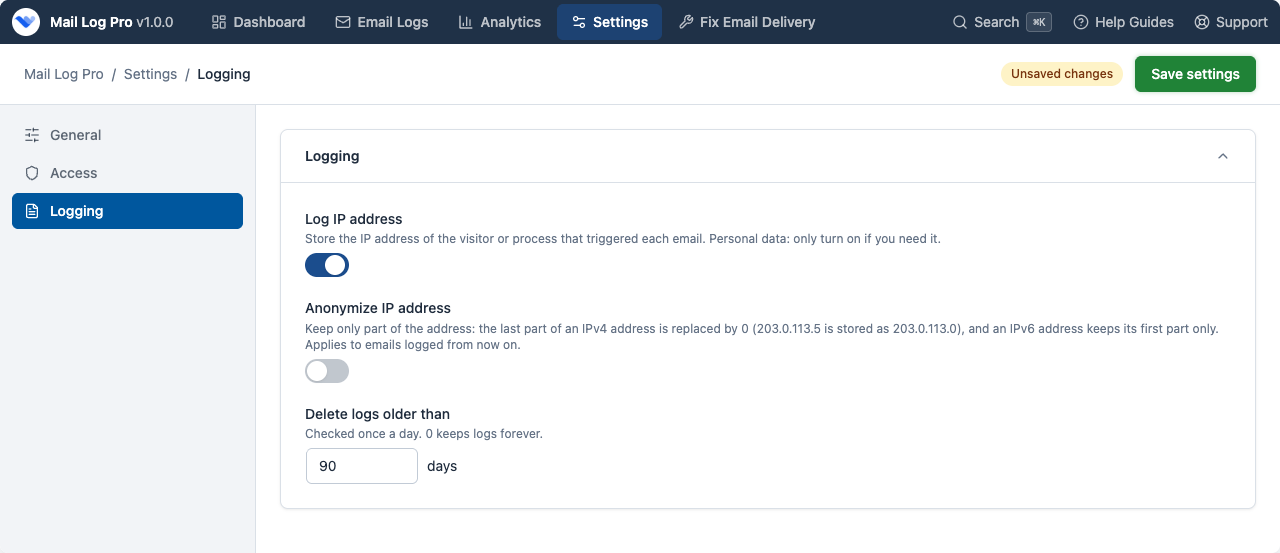
In the logging settings, turn IP logging off, or mask it: the last part of an IPv4 address, and a shortened IPv6 address. Old rows can be deleted after the number of days you choose.
Single Plugin (Pro)
Access to the Premium version of
Mail Log
Use it on any number of sites. Licenses for 1 website.
Premium support for 1 year
Plugin updates for 1 year
Life time usage
Ideal when you need just this one plugin.
Add €120 and get all 8 plugins on 1 website.
Costs less than 5 single plugins
About €19.88 per plugin
All 8 premium WordPress plugins, plus every new one we release.
Use all plugins on any number of sites. Licenses for 1 website.
Everything in Single Plugin, plus:
The other 7 premium WordPress plugins
Login as a UserCookie Consent ManagerMicrosoft 365 & Outlook MailerGmail SMTP ConnectEasy Custom Code (LESS/CSS/JS)Fix 404 Error LinksEvery new plugin we release
One subscription, one renewal
Premium support for 1 year
Plugin updates for 1 year
Life time usage
So much better than a trial because you can try it on your website and we will be there to fully support you during that time.
| Features | FREE | PRO |
|---|---|---|
Intercept & Log All Outgoing Emails Every wp_mail() message: recipients, subject, body, headers, and attachment names. Learn more in Email logs. | ||
Three-State Delivery Status Tracking Sent, Failed with the error, or Pending if the request stopped early. | ||
Real-Time Statistics Dashboard Volume, the peak hour, and recent failures. Learn more in Dashboard. | ||
Native WordPress Admin Widget The last 24 hours, the last 7 days, and the latest emails on the main dashboard. Learn more in Widget. | ||
Delivery Analytics & Period Comparisons Compare 7, 30, or 90 days, or a custom range. Learn more in Analytics. | ||
Ranked Intelligence & Top Error Diagnostics The recipients, domains, subjects, and errors that come up most often. Learn more in Rankings. | ||
One-Click Email Resend Send the logged message again, from the list or the preview. Learn more in How to resend. | ||
Sandboxed HTML Preview & Privacy Shield Scripts do not run. Remote images stay blocked until you load them. Learn more in Preview. | ||
Role-Based Access Control Other roles can view status. Only administrators can read the body. Learn more in Access. | ||
GDPR & CCPA IP Anonymization Turn IP logging off, or mask the address. Learn more in Privacy. | ||
Automated Daily Log Rotation Delete rows older than the number of days you set. Learn more in Rotation. | ||
Email Open Tracking & Read Receipts Off by default. An invisible image on your own site records the first open. Learn more in Open tracking. | ||
Dedicated Opened Column & Status Badges See whether an HTML email was opened, without opening each row. | ||
Advanced Multi-Condition Query Filters Combine recipient, subject, body, status, and date. Match all of the rules, or any of them. Learn more in Filters. | ||
One-Click CSV Export Download the current table, or just the filtered rows, as a CSV file that opens in Excel. | ||
Automated Email Forwarding Send a copy of every outgoing email to another address, as To, Cc, or Bcc. Learn more in Forwarding. | ||
Database Threshold & Failure Alerts Get an email when the log table passes a size you set. Learn more in Log size. | ||
Automatic Updates & License Management A PRO license unlocks updates from the Plugins screen. Help is on the support page. |

Web357 creates super useful extensions. Login as User is fantastic for allowing site admins to understand the frontend UX from any user's perspective. No extra "test" users needed. Support is also amazing!
Web357 extensions are solid, reliable, and thoughtfully built - no fluff, just tools that do exactly what they promise. Support is incredibly responsive, and updates are clearly made with real users in mind. It's rare to find such professionalism in this space.
We have used Joomla and WordPress plugins by Web357 for many years in various projects. The plugins are exceptionally reliable and robust. Special thanks to Yannis, for his outstanding assistance-always responsive and professional. Highly recommended for anyone seeking quality plugins and excellent customer support.
I've been using Web357's Joomla plugins for several years and I must say I've never had any problems; they've always met my expectations! My heartfelt congratulations to the Web357 staff.
Web357 extensions are reliable, well-crafted, and consistently updated. We've used them for years across professional Joomla and WordPress projects and have always been impressed by their performance and support. A trusted part of our development toolkit.

Crafted with care, driven by passion, because when you love what you do, it’s impossible to hide.

We care about your website just as much as you do. Count on us for fast, helpful support.

Great ideas come from fresh thinking, and we never run out of either.

Our code is clean, lightweight and built to industry standards, easy to use, easy to trust.
GNU/GPL v3
Waiting for review by the WordPress.org plugin team
See every email WordPress sends, why one failed, and resend it in one click.
Buy PRO30-day money back guarantee