One account should not be signed in everywhere at once.
Limit Active Logins sets how many devices may stay logged in, and what happens when someone tries to add another. You can also open the session list and end one yourself, without changing their password.
If the site is behind Cloudflare or another proxy, set how the visitor IP is detected before you trust that column.

30-day money back guarantee · Support reply within 24 hours

See who is signed in, on which device.
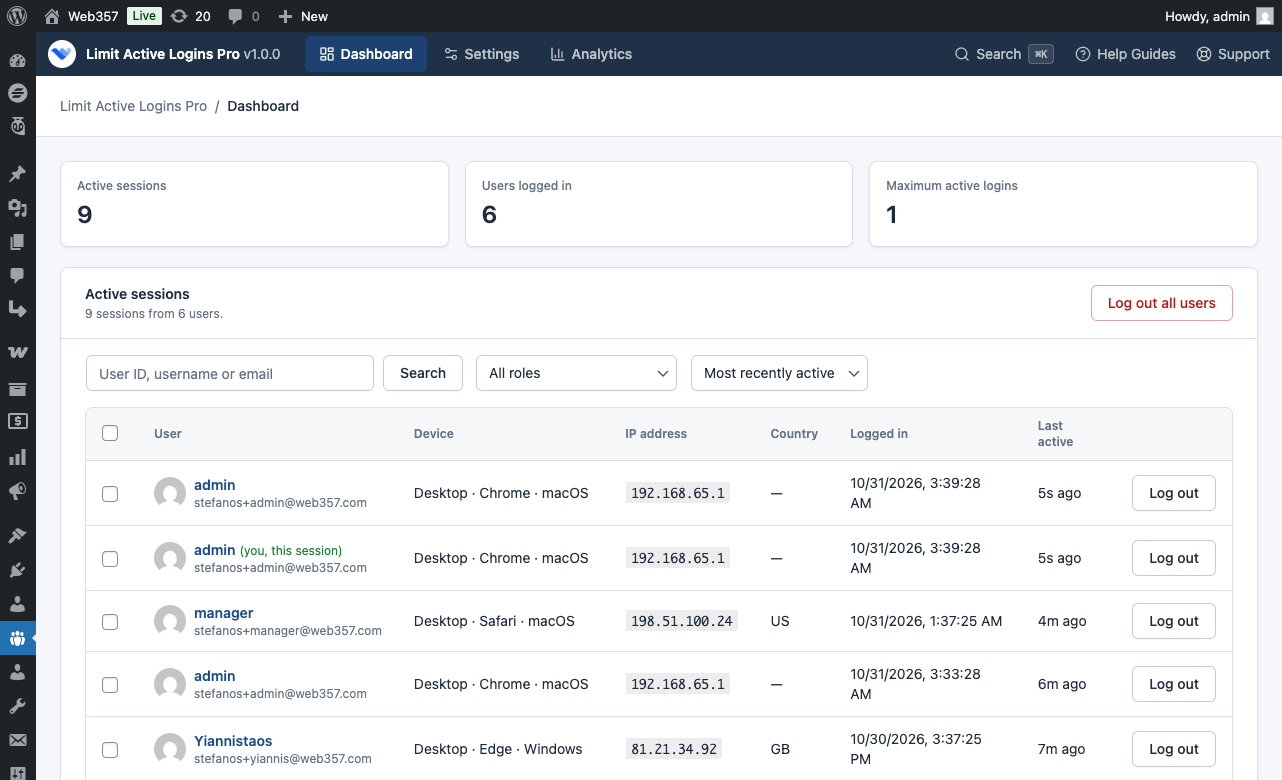
A shared password is hard to spot without a session list. The Active sessions screen shows each login: browser, device, IP, and when it was last used.

End a session without changing the password.
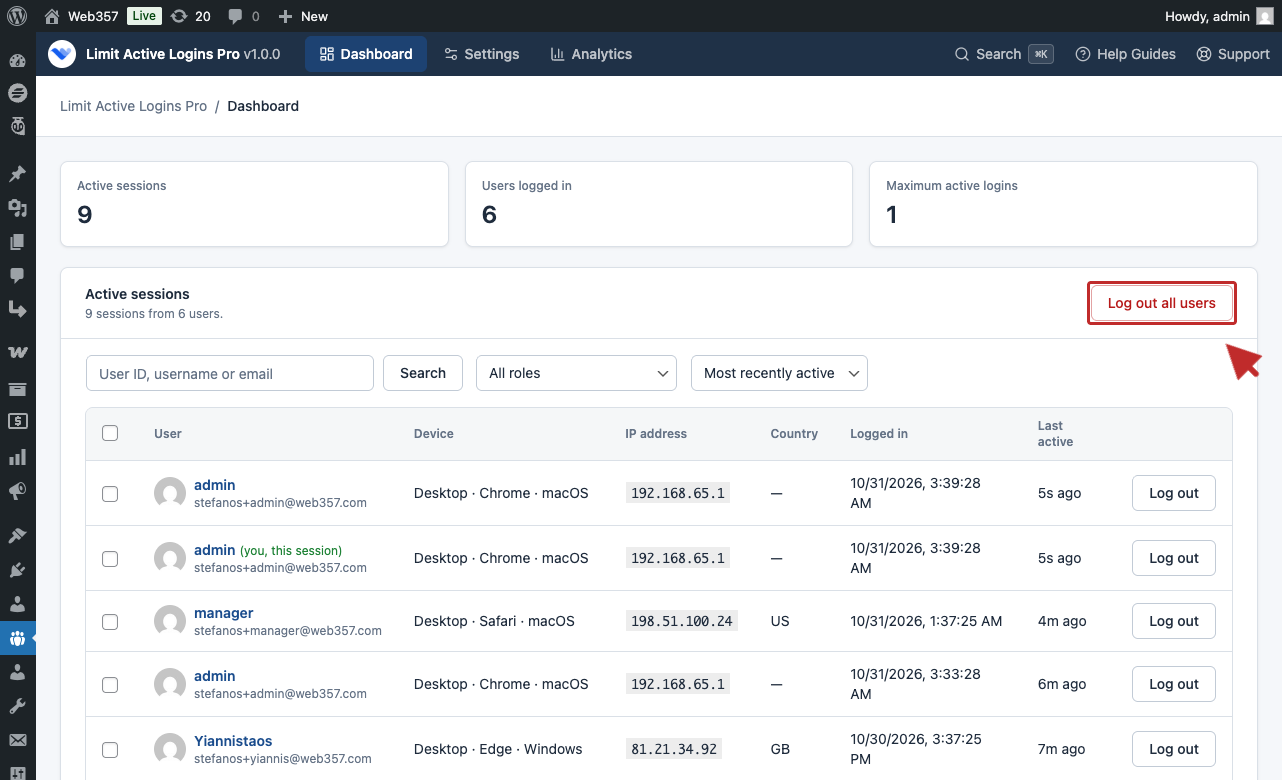
Someone left the company, or a login looks wrong. End that one session, every session of one user, or every session on the site. You stay signed in.

Block the new login, or let the newest device win.
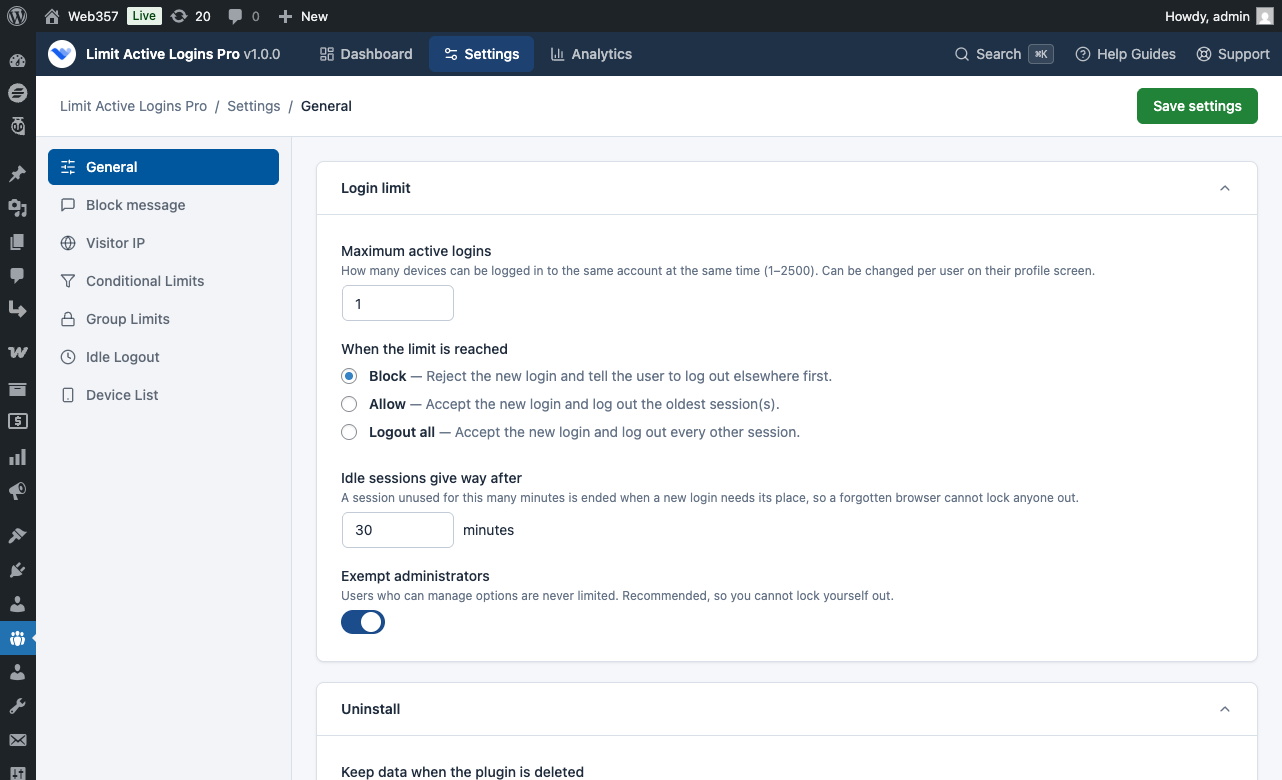
Set the limit in General settings, from 1 to 2,500 devices per account.
A browser left idle gives up its place, so a forgotten tab does not lock the next login. Administrators are exempt, so you cannot lock yourself out while testing.

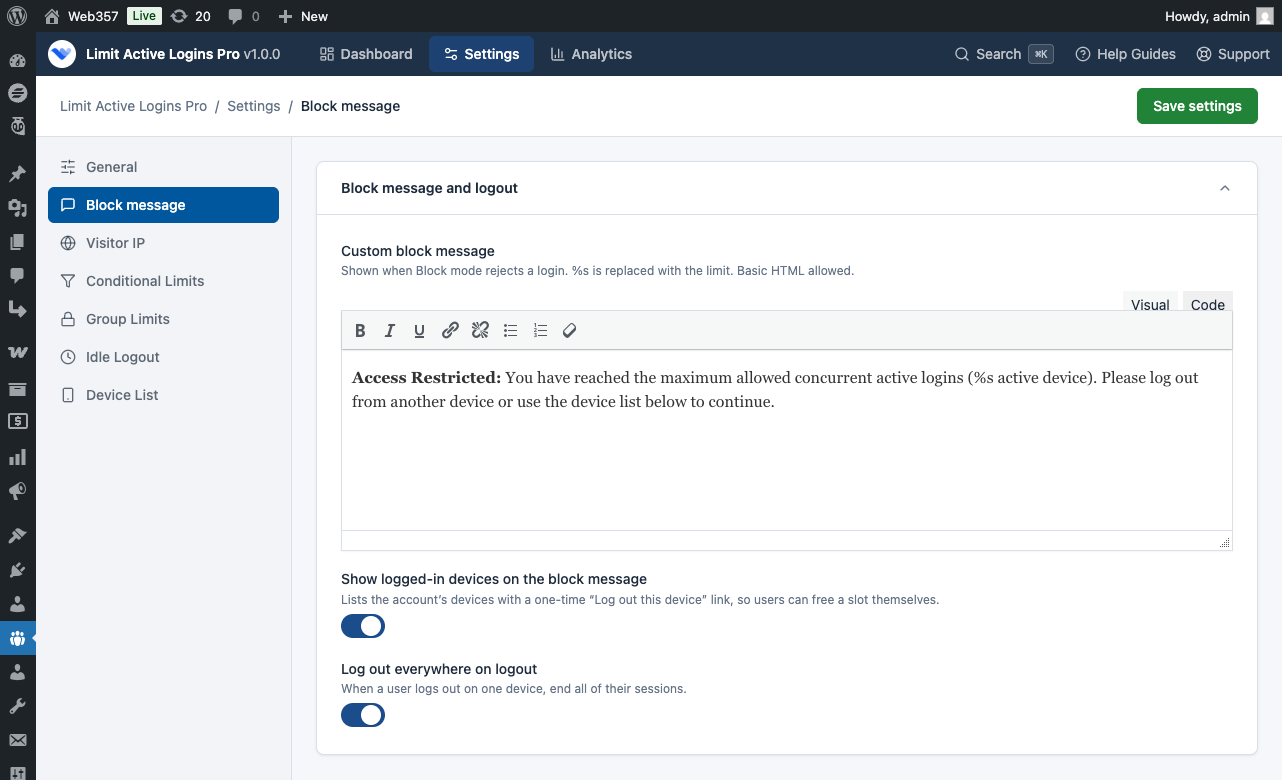
Tell people why they cannot sign in, and let them free a device.
This is in PRO. Write the block message they see, including the number of devices allowed.
After the password is correct, you can list the devices already signed in. Each has a Log out this device link that works once, for 10 minutes, and only from that IP.

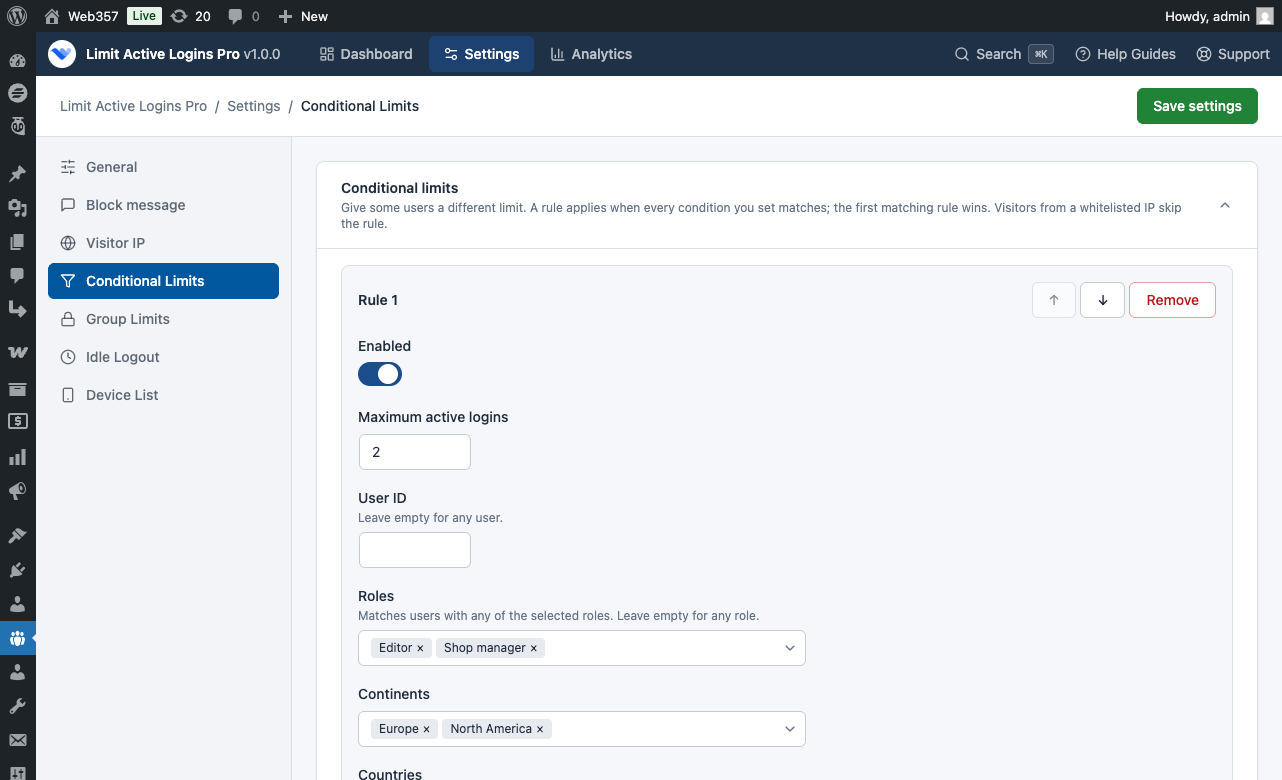
Different people can have different limits.
Rules are in PRO. A shop manager may need three devices. A subscriber may get one. You can also vary the limit by country, or skip the limit for your office IP.
Conditional limits run in the order you set. The first match wins.

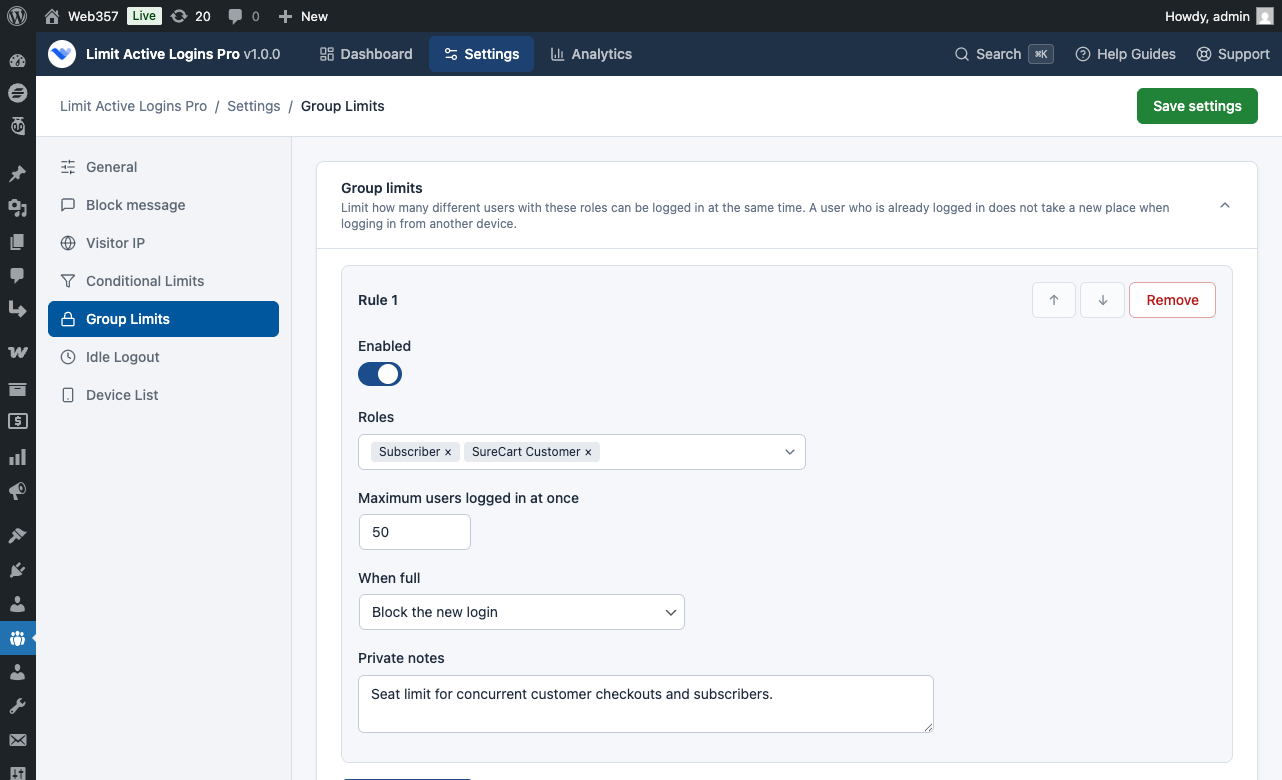
A shared pool of seats, not one limit per person.
Group limits are in PRO. A classroom plan might allow 25 students online at once, no matter how many accounts exist.
When the pool is full, the group limit blocks the next person, or signs out whoever logged in first.

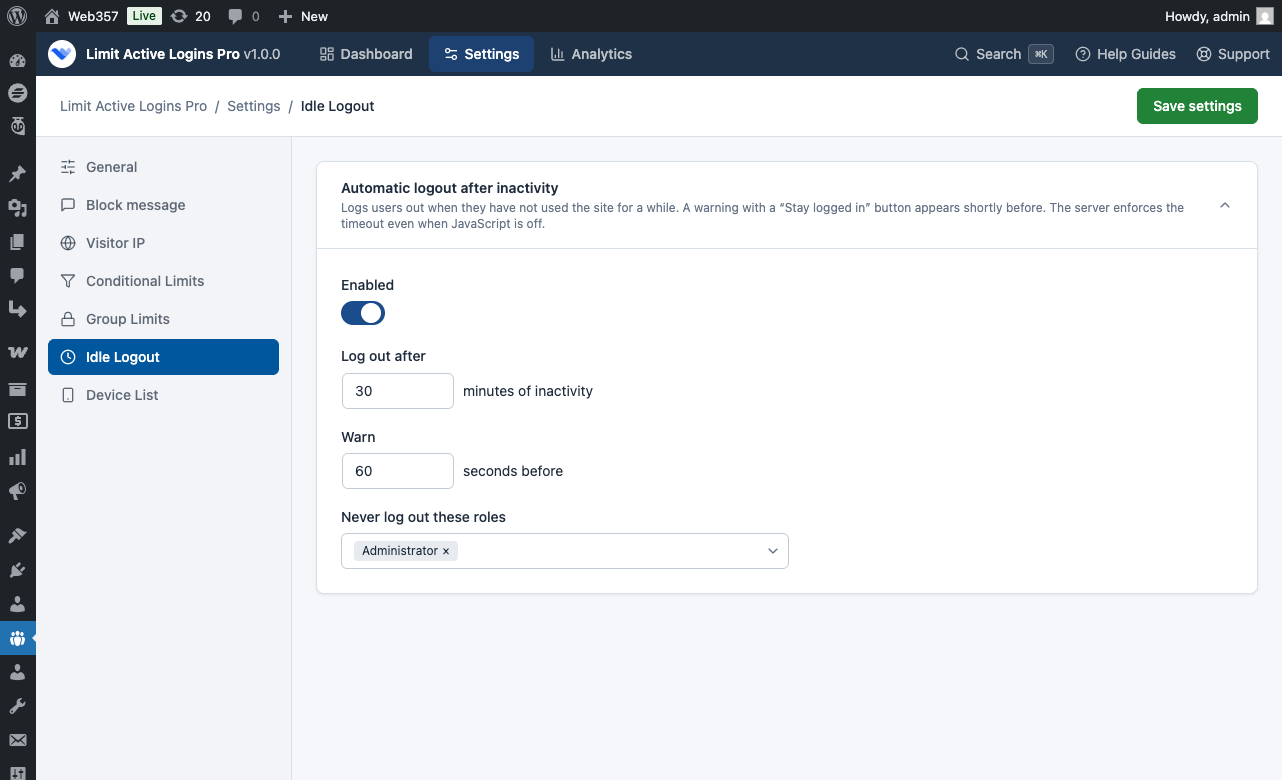
Sign people out when they walk away.
Idle logout is in PRO. It watches real use: typing, clicks, and touch. Background requests, such as a cart refresh, do not count as activity.
A countdown appears first, with Stay logged in. If the browser never runs that script, the server still ends the session. You can exclude roles such as Administrator in the Idle logout settings.

Let members see their own devices.
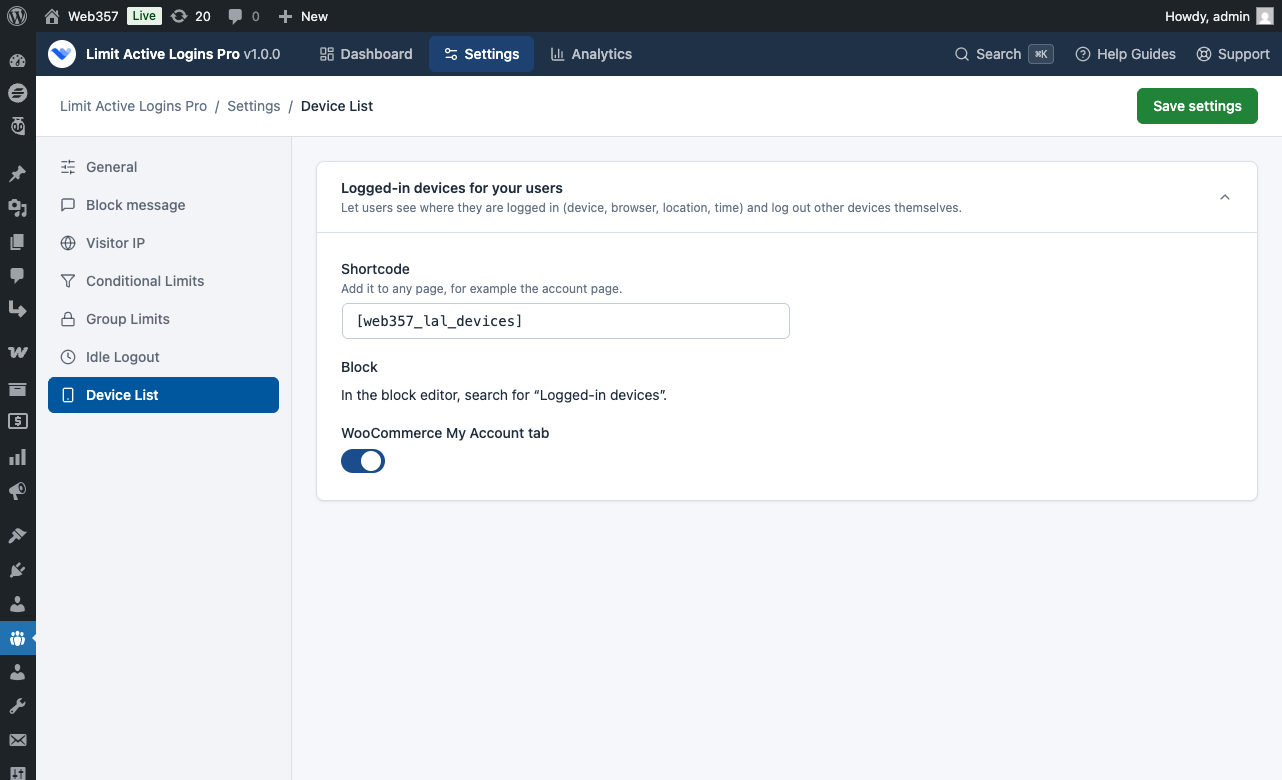
The customer device list is in PRO. Show the device list in three ways:
[web357_lal_devices]They can sign out another device. The list does not show IP addresses.


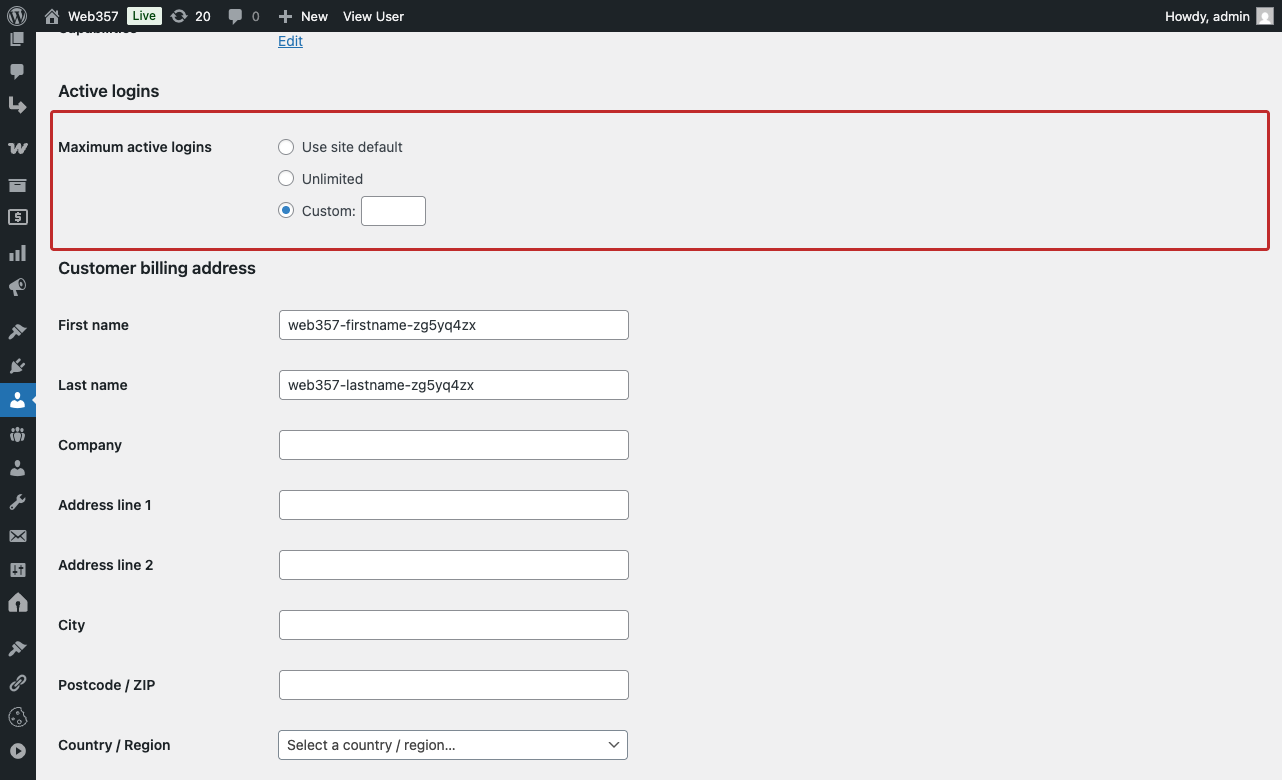
One account can be an exception.
On the user profile, choose the site default, a number of your own, or unlimited, as described in A limit for one user. Only someone who can edit users can change it. A member cannot raise their own limit.
Single Plugin (Pro)
Access to the Premium version of
Limit Active Logins
Use it on any number of sites. Licenses for 1 website.
Premium support for 1 year
Plugin updates for 1 year
Life time usage
Ideal when you need just this one plugin.
Add €120 and get all 8 plugins on 1 website.
Costs less than 5 single plugins
About €19.88 per plugin
All 8 premium WordPress plugins, plus every new one we release.
Use all plugins on any number of sites. Licenses for 1 website.
Everything in Single Plugin, plus:
The other 7 premium WordPress plugins
Login as a UserCookie Consent ManagerMicrosoft 365 & Outlook MailerGmail SMTP ConnectEasy Custom Code (LESS/CSS/JS)Mail LogEvery new plugin we release
One subscription, one renewal
Premium support for 1 year
Plugin updates for 1 year
Life time usage
So much better than a trial because you can try it on your website and we will be there to fully support you during that time.
| Features | FREE | PRO |
|---|---|---|
Global Concurrent Active Login Limits From 1 to 2,500 devices per account. Learn more in General settings. | ||
Three Limit Enforcement Modes Block the new login, Allow it and end the oldest session, or Logout all other sessions. | ||
Dynamic Idle Session Yielding A session unused for longer than the time you set gives its place to the next login. | ||
Central Active Sessions Dashboard Search, filter by role, and see device, IP, and last activity. Learn more in Sessions. | ||
Individual & Batch Remote Session Logout End one session, or every session of selected accounts. | ||
Emergency Site-Wide Session Revocation End every session on the site. Your admin session stays. Learn more in Log out all users. | ||
Per-User Profile Overrides Site default, a custom number, or unlimited, on the user profile. Learn more in One user. | ||
Dedicated WP-CLI Commands List sessions, log someone out, or lift a limit from the server. Learn more in Commands. | ||
Secure Client IP Resolution Direct, Cloudflare, or your own proxy. Forged forwarding headers are ignored. Learn more in Visitor IP. | ||
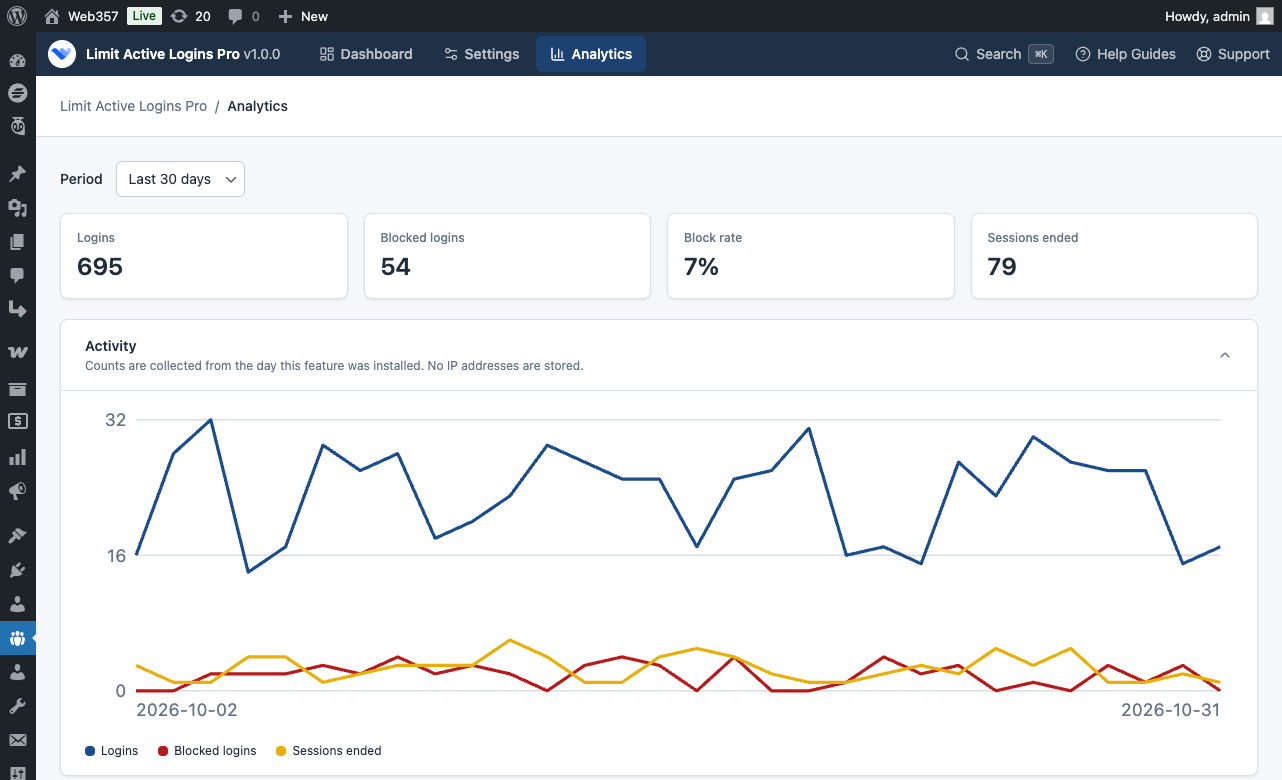
Login Analytics & Activity Trend Chart Logins, blocks, and why sessions ended, for 7, 30, or 90 days. No IP addresses are stored. Learn more in Analytics. | ||
Custom HTML Block Message with Placeholders Write the notice people see, including the device limit. Learn more in Block message. | ||
Login Screen Device List with One-Time Tickets After the password is correct, they can log out an old device. The link lasts 10 minutes. | ||
Conditional Limits by Role, Location, & IP A different limit for a role, a user, a country, or an office IP. Learn more in Rules. | ||
Group Concurrent Seat Caps Cap how many users of a role may be online at once. Learn more in Group limits. | ||
Automated Inactivity Logout with Warning Dialog A countdown and Stay logged in, then the server ends the session. Learn more in Idle logout. | ||
WooCommerce My Account 'Logged-in devices' Tab Customers see their devices and can sign one out. Learn more in Device list. | ||
Front-End Shortcode & Gutenberg Block Place the same list with [web357_lal_devices] or the Logged-in devices block. | ||
Automatic Log Out Everywhere on Sign-Out Logging out of one device can end every other session of that account. | ||
Pro Analytics: Top Blocked Users & Countries Who is blocked most often, and logins by country. Still no IP addresses in analytics. Learn more in Who and where. | ||
Automatic Updates & License Management A PRO license unlocks updates from the Plugins screen. Help is on the support page. |

Web357 creates super useful extensions. Login as User is fantastic for allowing site admins to understand the frontend UX from any user's perspective. No extra "test" users needed. Support is also amazing!
Web357 extensions are solid, reliable, and thoughtfully built - no fluff, just tools that do exactly what they promise. Support is incredibly responsive, and updates are clearly made with real users in mind. It's rare to find such professionalism in this space.
We have used Joomla and WordPress plugins by Web357 for many years in various projects. The plugins are exceptionally reliable and robust. Special thanks to Yannis, for his outstanding assistance-always responsive and professional. Highly recommended for anyone seeking quality plugins and excellent customer support.
I've been using Web357's Joomla plugins for several years and I must say I've never had any problems; they've always met my expectations! My heartfelt congratulations to the Web357 staff.
Web357 extensions are reliable, well-crafted, and consistently updated. We've used them for years across professional Joomla and WordPress projects and have always been impressed by their performance and support. A trusted part of our development toolkit.

Crafted with care, driven by passion, because when you love what you do, it’s impossible to hide.

We care about your website just as much as you do. Count on us for fast, helpful support.

Great ideas come from fresh thinking, and we never run out of either.

Our code is clean, lightweight and built to industry standards, easy to use, easy to trust.
GNU/GPL v3
Waiting for review by the WordPress.org plugin team
Decide how many devices can stay logged in to one account, and end a session when you need to.
Buy PRO30-day money back guarantee