

This month at Web357, we focused on giving Joomla! administrators more control over email delivery, user access and third-party content.
Here is a quick look at the latest improvements across three of our Joomla! extensions.
Custom “From” Addresses in Microsoft 365 Mail Connect
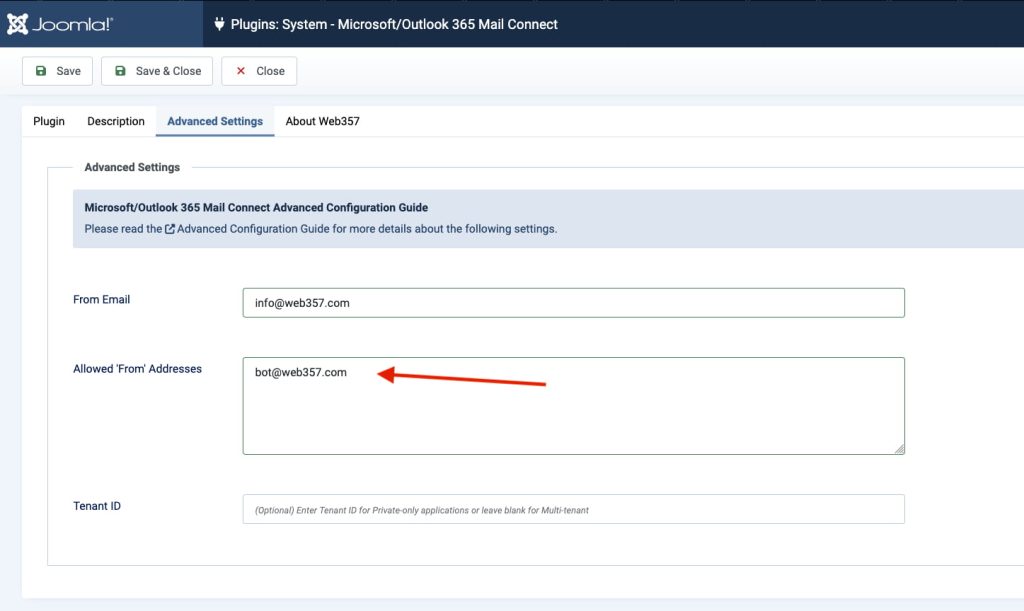
Microsoft/Outlook 365 Mail Connect now supports custom “From” email addresses provided by forms and third-party extensions.
This means that a form can send an email from an address such as info@yourdomain.com or support@yourdomain.com, as long as:
- The address has been added to the plugin’s Allowed “From” Addresses list.
- The authenticated Microsoft 365 account has the required Send As permission.
The new setting provides greater flexibility while preventing forms or extensions from sending emails through unapproved addresses.
Learn how to configure Allowed “From” Addresses
More Precise Permissions in Login as User
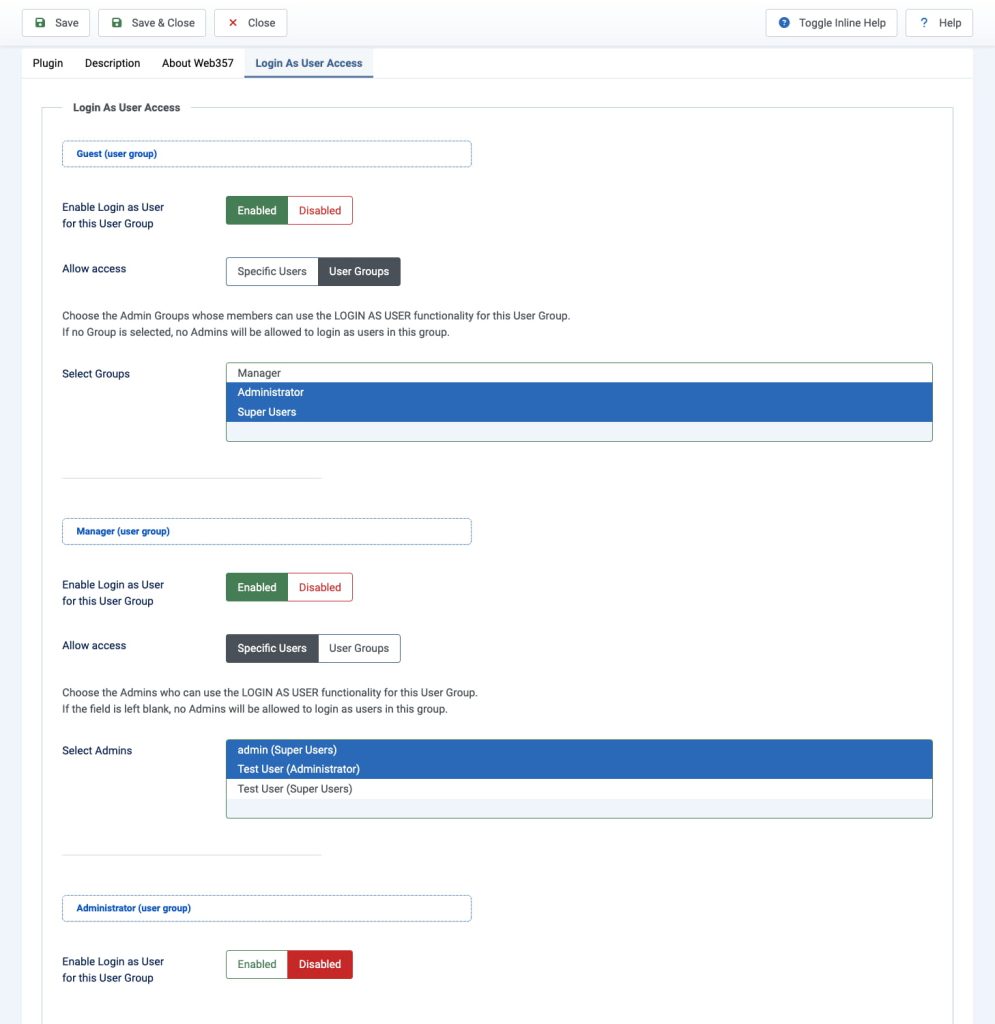
Login as User now offers more granular permission management.
For every Joomla! user group, you can choose whether its members may be impersonated and define exactly who is allowed to do so:
- Specific backend users.
- One or more administrator groups.
For example, a Support team can be allowed to log in as Registered users for troubleshooting, without being able to impersonate Managers, Administrators or Super Users.
The Login as User menu entry is also automatically shown or hidden for each administrator group according to these permissions. Existing installations can move from the previous global settings to the new model one user group at a time.
View the access-control settings and examples
Improved Third-Party Content Blocking
The cookie-blocking features introduced in version 5.0.5 of Cookies Policy Notification Bar allow administrators to block both external scripts and page elements until the visitor grants the required consent.
For example, an hCaptcha integration can be fully blocked by:
- Deferring its external JavaScript file.
- Removing its visible container before the page reaches the browser.
- Displaying a custom placeholder message in its place.
Once the visitor accepts the relevant cookie category, the script loads and the original element is restored automatically, without a page reload.
The same approach can be used for embedded videos, maps, social media widgets and other third-party content.
See the complete hCaptcha blocking example
Always Improving
These updates are part of our ongoing work to make Joomla! website management easier, safer and more flexible.
Already using these extensions?
Update to the latest available version to access the new features and improvements.
Not using them yet? Explore all Web357 Joomla! extensions.


Want to leave a comment?