

WordPress emails are essential. They deliver order confirmations, contact form submissions, password reset links, membership notifications and the many other messages your users expect to receive.
The default WordPress email method can be unreliable. Messages may arrive in spam, be delayed or fail to reach the recipient altogether. At the same time, traditional SMTP setups that depend on stored usernames and passwords no longer meet Microsoft’s modern authentication standards.
That is why we created Web357 Mail Connect for Microsoft Outlook 365: a WordPress plugin that sends your website emails securely through Microsoft 365, Outlook or Exchange Online using OAuth 2.0 and the Microsoft Graph API.
No SMTP passwords. No fragile basic authentication. Just a secure connection to your Microsoft mailbox.
Send WordPress emails from your Microsoft account
Once connected, the plugin routes every WordPress email sent through wp_mail() via Microsoft Graph. Emails generated by WordPress and supported plugins are sent from your authenticated Microsoft mailbox, instead of relying on your hosting server’s default mail function.
It works with email notifications from:
- WooCommerce
- Contact Form 7
- WPForms
- Fluent Forms
- Gravity Forms
- MemberPress
- LearnDash
It also works with any other WordPress plugin that uses wp_mail().
Whether your website sends order receipts, form entries, account emails or administrative notifications, Mail Connect gives them a more reliable route to the inbox.
Modern authentication without stored mailbox passwords
Mail Connect uses Microsoft OAuth 2.0 authentication. You authorize the connection through Microsoft, while the plugin securely stores and refreshes the required access tokens.
Your Microsoft account password is never stored on your WordPress website. The connection uses the official Microsoft Graph API and aligns with Microsoft’s modern authentication requirements for Microsoft 365 and Exchange Online.
The plugin supports:
- Microsoft 365 business accounts
- Personal Outlook.com accounts
- Exchange Online mailboxes
- Single-tenant and multi-tenant Azure / Microsoft Entra ID applications
A guided setup inside WordPress
Connecting WordPress to Microsoft services can sound complicated. Mail Connect brings the essential configuration into a clear WordPress interface.
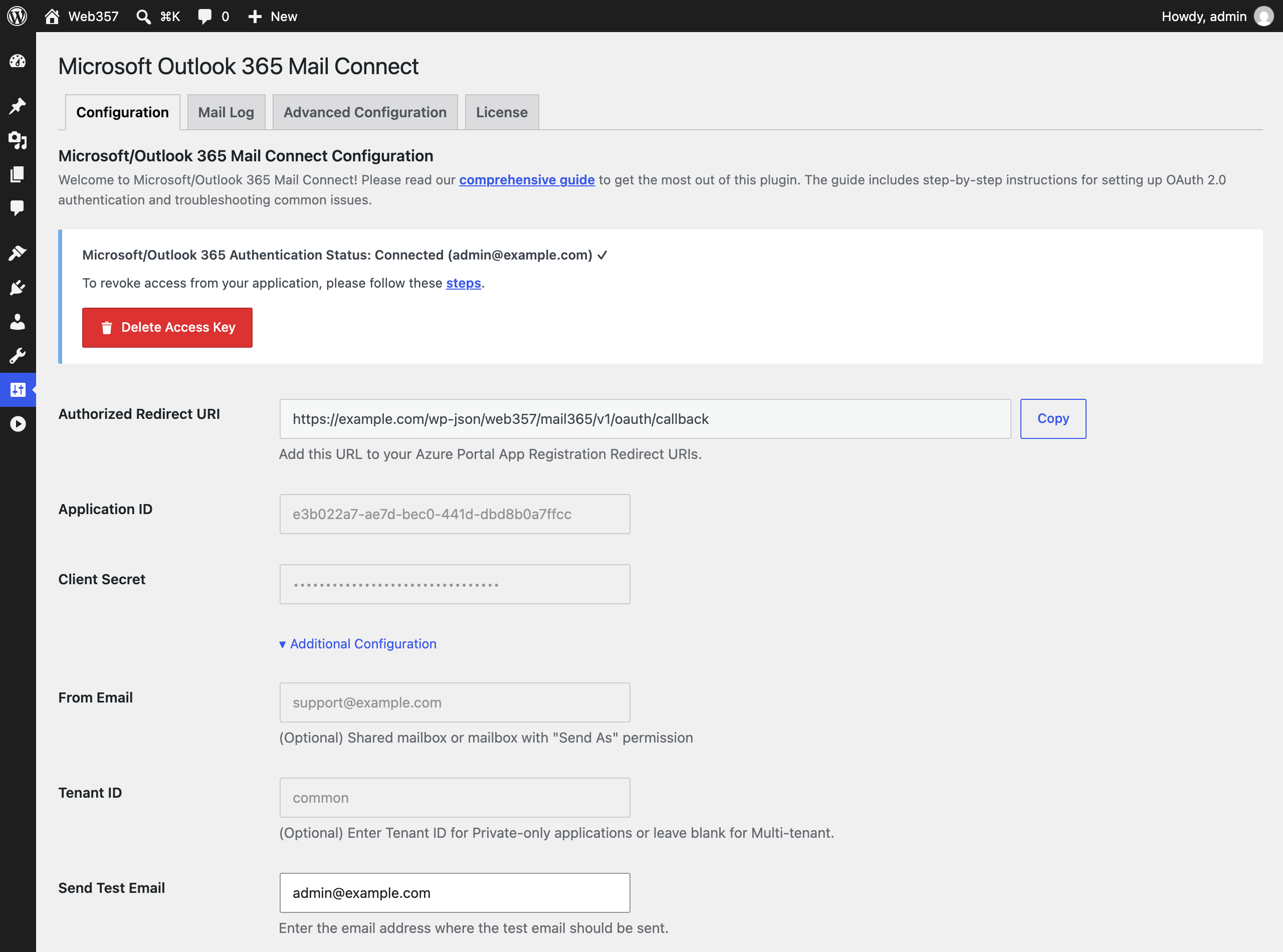
After creating an Azure / Microsoft Entra ID app, add your Client ID, Client Secret and, when required, Tenant ID. You can then authorize your Microsoft account and confirm the connection directly from the WordPress administrator area.
A built-in Test Email tool lets you send a real test message before going live, so you can verify that the connection and email delivery are working correctly. You can also disconnect the account and remove the stored access key whenever needed.
Start free, or choose Pro for greater control
The free version includes the core tools needed to connect WordPress to Microsoft and send emails through the Microsoft Graph API:
- OAuth 2.0 connection
- Microsoft Graph email delivery
- Routing of WordPress
wp_mail()emails - Test Email tool
- One-click access revocation
For websites, agencies and development environments that need deeper monitoring and control, the Pro version adds:
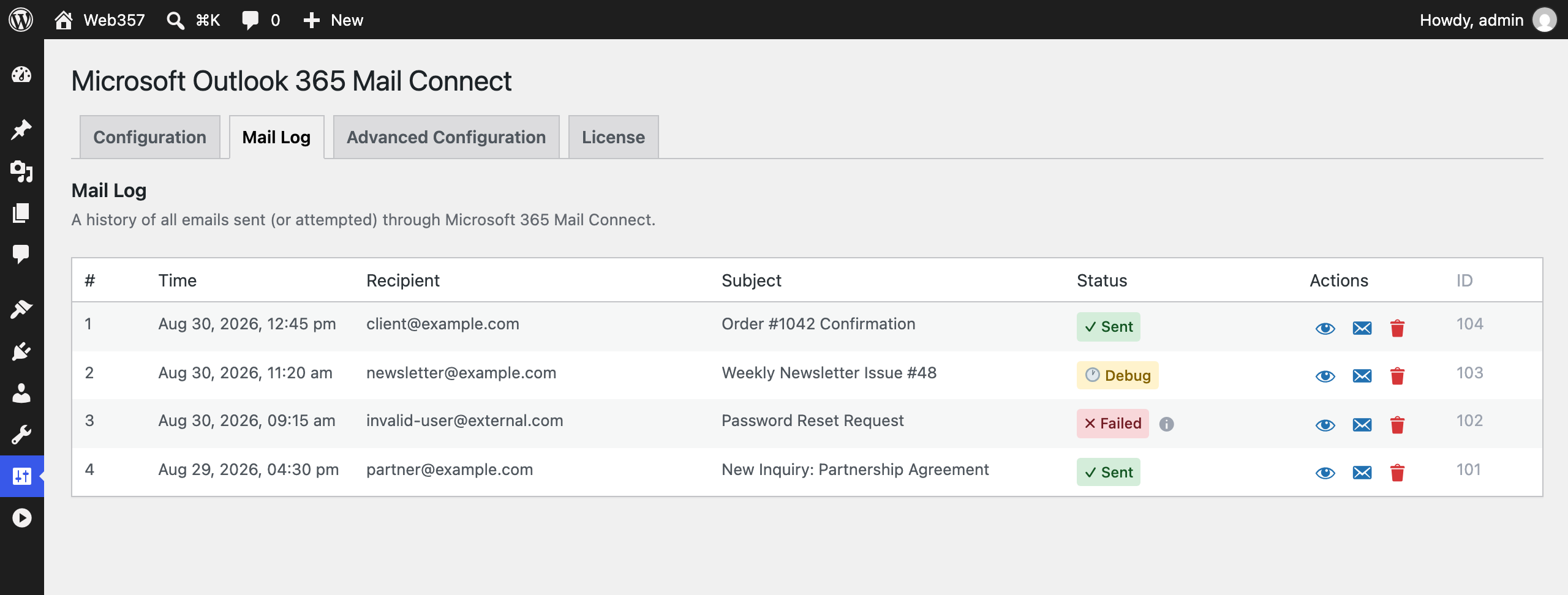
- Mail Log: review sent, failed and staged emails, including their content, status and timestamps.
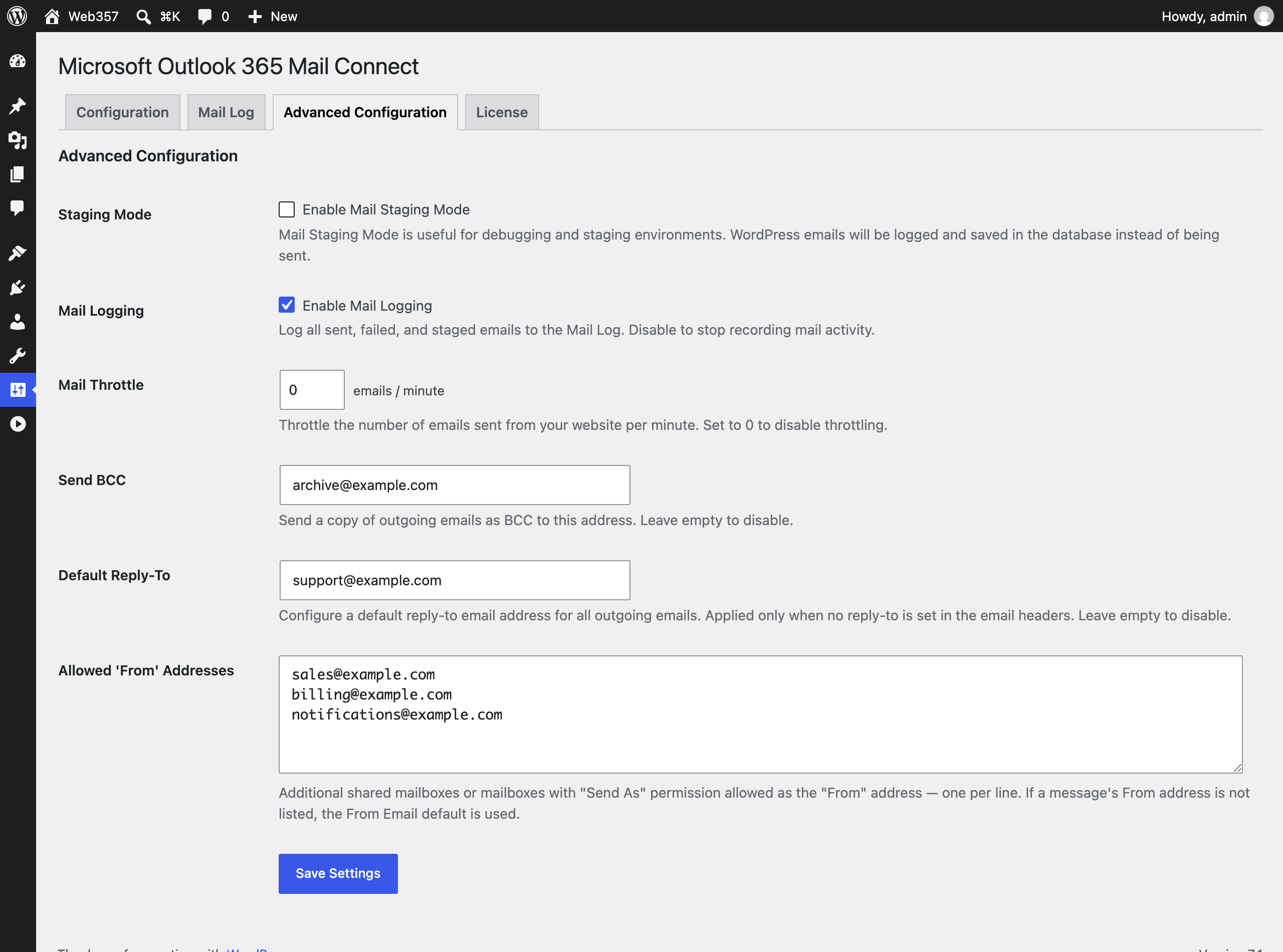
- Mail Staging Mode: save emails to the database without sending them, ideal for development and staging websites.
- Mail Throttle: control how many emails are sent per minute and reduce the risk of reaching Microsoft Graph rate limits.
- Automatic BCC: send a blind copy of outgoing emails to an internal address for record-keeping.
- Default Reply-To: define a global reply-to address when another plugin or form has not already set one.
- Shared mailbox support: send from a shared mailbox or another approved From address when the connected account has the required permissions.
- Priority support and ongoing updates.
Built for everyday WordPress email delivery
Mail Connect is designed for site owners, developers and agencies that already use Microsoft 365 or Outlook and want a secure, manageable way to handle WordPress transactional email.
It replaces password-based SMTP configuration with Microsoft’s supported authentication flow, while giving you the tools to test, monitor and manage outgoing messages from inside WordPress.
Web357 Mail Connect for Microsoft Outlook 365 is now available.
Download the free version from WordPress.org or explore the Pro version for advanced email management features.
For installation, Azure app registration and configuration instructions, visit the official documentation.
If you need help, visit the FAQ and troubleshooting section.


Want to leave a comment?